You want to find the better display for your needs, but choosing between TFT and LCD can feel confusing. You see both options everywhere, from phones to monitors. Each type offers unique strengths in image quality, speed, and price. You deserve clear answers so you can make the right choice. This guide will help you understand what sets these displays apart.


Key Takeaways

  • TFT displays offer sharper images and vibrant colors, making them ideal for gaming and media consumption.

  • LCD displays are more affordable and widely available, making them a practical choice for everyday tasks.

  • Consider refresh rates and response times when choosing a display; TFT excels in fast-paced applications.

  • Evaluate your needs: choose TFT for high-quality visuals and LCD for budget-friendly solutions.

  • Both display types have unique strengths; weigh image quality, cost, and intended use before deciding.


LCD Display Overview

VA Negative Mono LCD Display

What is an LCD Display?

You see lcd screens everywhere, from your phone to your TV. An lcd display stands for liquid crystal display. This technology uses a special material called liquid crystals to create images. When you look at lcd screens, you notice they are thin, lightweight, and energy-efficient. These features make lcd a popular choice for many devices.


How LCD Displays Work

An lcd display uses several layers to produce clear images. Here’s how the core technology works:

  1. Backlight: Provides the light source, usually with LEDs.

  2. Polarizing Filters: Control how light passes through the screen.

  3. Glass Substrates: Give structure and support to the display.

  4. Transparent Electrodes: Apply voltage to the liquid crystals.

  5. Liquid Crystal Layer: Changes the alignment of crystals to control light.

  6. Color Filters: Add red, green, and blue colors to each pixel.

You get sharp images because the liquid crystals twist and untwist when voltage passes through them. This process lets the right amount of light and color reach your eyes.

Tip: LCD screens do not produce their own light. They need a backlight to make the display visible.


Common Uses

You interact with lcd screens in many parts of your daily life. Manufacturers use lcd display technology in a wide range of products:

  • Consumer electronics: TVs, computer monitors, smartphones, and tablets.

  • Digital signage: Advertising displays and menu boards.

  • Home appliances: Microwaves, refrigerators, and washing machines.

  • Automotive: Dashboard screens and infotainment systems.

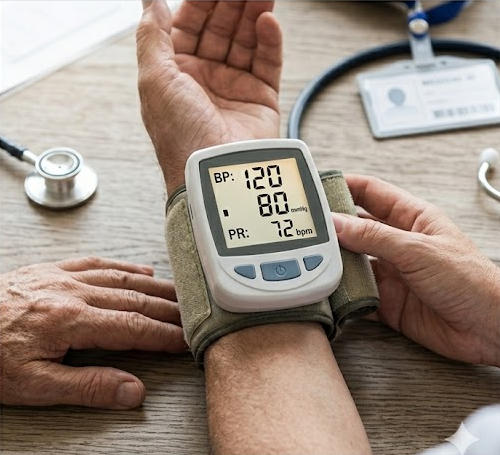
  • Medical equipment: Diagnostic devices and patient monitors.

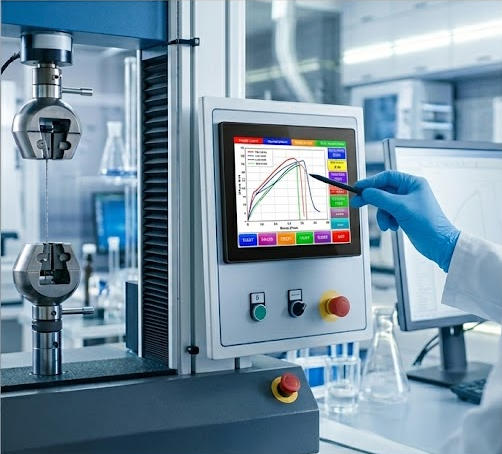
  • Industrial settings: Control panels and instrumentation displays.

  • Education: Interactive whiteboards and projectors.

  • Gaming: Game consoles and handheld devices.

  • Portable devices: E-readers.

  • Wearable tech: Smartwatches and fitness trackers.

You also find lcd screens in rugged environments, such as transportation systems, manufacturing plants, and outdoor kiosks. These displays offer durability and reliable performance, even in tough conditions.


TFT Display Overview

4.3 Inch 480*272 IPS TFT LCD Display

What is a TFT Display?

You may have heard the term tft when shopping for screens. TFT stands for thin film transistor. This technology is a type of active-matrix display. Each pixel on a tft display uses its own tiny transistor. These transistors control the brightness and color of each pixel with high accuracy. You get sharper images and more vibrant colors compared to standard LCD screens.

Note: Every tft display is technically a kind of LCD, but not all LCDs use tft technology.


How TFT Displays Work

A tft screen uses a grid of thin film transistor elements. Each pixel connects to its own transistor and capacitor. When you send a signal to the display, the transistors switch on and off quickly. This process lets you see fast-moving images without blur. The active-matrix design means you get better control over each pixel. You notice smoother video playback and more precise color changes.

Here’s a quick comparison between tft and standard LCD displays:

Feature

TFT Displays

LCD Displays

Image Quality

Higher contrast ratios, more vibrant colors

Generally lower image quality

Refresh Rate

Typically higher, allowing for smoother images

Lower refresh rates

Power Consumption

Requires more power, leading to shorter battery life

Generally more power-efficient

Cost

More expensive, less common in budget devices

Less expensive, widely used


Typical Applications

You find tft screens in many devices that need high-quality visuals. Smartphones, tablets, and gaming monitors often use tft technology. Car dashboards and infotainment systems rely on tft for clear graphics. Medical equipment and industrial machines also use tft displays for accurate data.

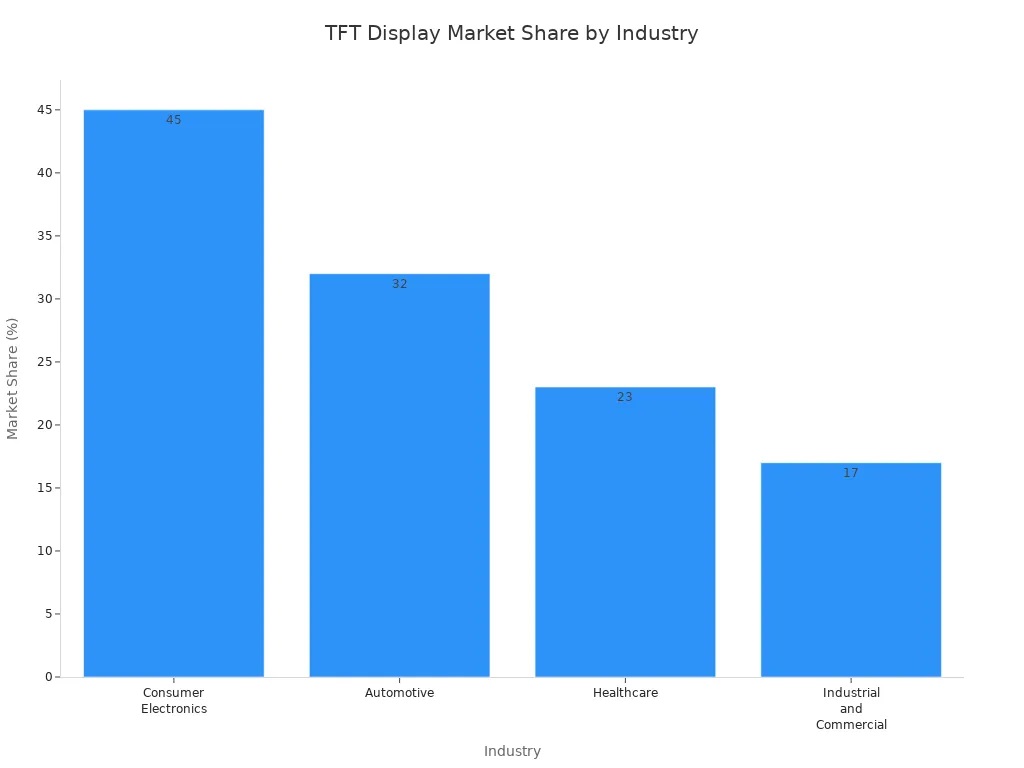
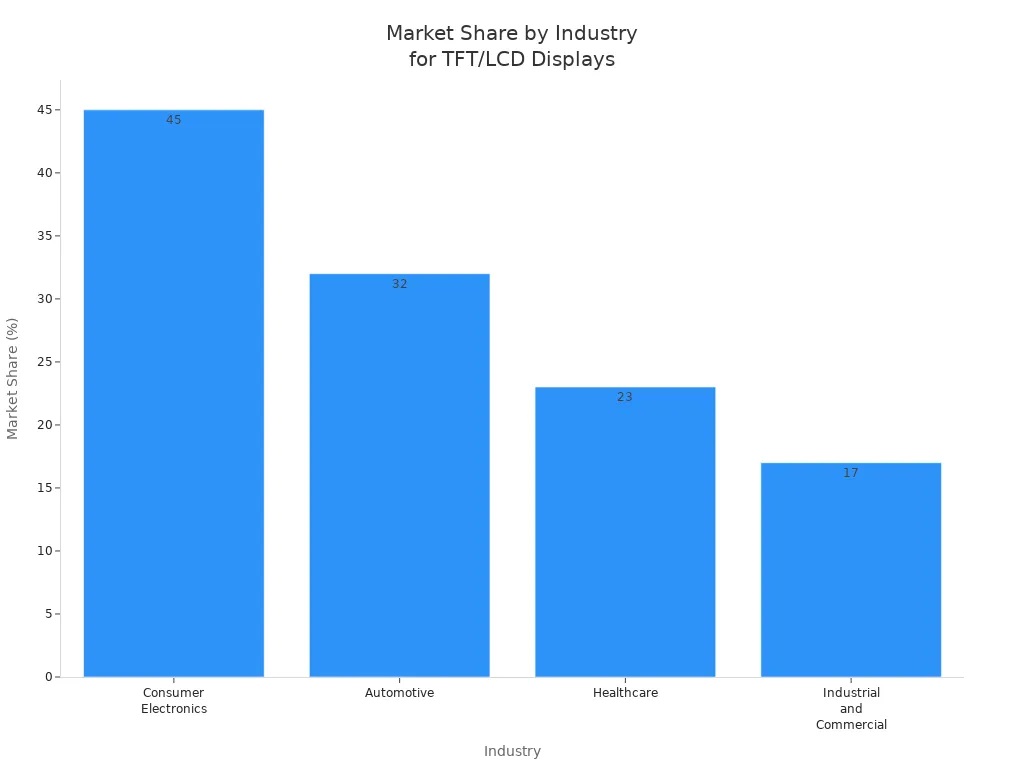
The main industries using tft displays in 2024 include:

Industry

Market Share (%)

Market Value (USD)

Consumer Electronics

45%

20.6 billion

Automotive

32%

14.6 billion

Healthcare

23%

10.5 billion

Industrial and Commercial

17%

7.8 billion

You see tft technology wherever you need fast response, bright colors, and sharp images.


TFT vs LCD Differences

Image Quality

You notice a clear difference in image quality when you compare tft vs lcd displays. TFT screens deliver sharp images and vibrant colors, making them ideal for tasks that demand high visual clarity. Standard lcd displays often struggle with lower contrast ratios and less accurate color reproduction. If you want higher contrast ratios and better color accuracy, tft displays stand out as the better display for most visual applications.

Feature

TFT Displays

Standard LCD Displays

Contrast Ratios

Higher contrast ratios

Limited

Color Accuracy

Better

Adequate

Image Rendering

Sharp images

Less suitable for rich graphics

You see tft screens used in devices where quality matters, such as gaming monitors and medical equipment. LCD screens work well for basic tasks but lack the vibrant colors and sharp images you get from tft technology.


Refresh Rate

Refresh rate affects how smooth motion appears on your screen. TFT displays offer a wide range of refresh rates, from 60Hz up to 144Hz. You experience smooth performance with no lag or stutter, especially during gaming or watching fast-paced videos. Standard lcd displays usually provide refresh rates between 30Hz and 60Hz, which can result in inconsistent performance.

Display Type

Refresh Rate Range

Performance Notes

TFT

60Hz - 144Hz

Smooth performance for gaming, no lag or stutter.

Graphic LCD

30Hz - 60Hz

Inconsistent performance, not suitable for fast-paced games.

If you play games or use applications that require quick response, tft displays give you a clear advantage.


Color Reproduction

Color reproduction determines how accurately your screen displays colors. TFT screens excel in this area, providing vibrant colors and consistent quality across the display. You see rich reds, greens, and blues, which makes tft vs lcd a clear choice for graphic design and media consumption. LCD screens offer adequate color reproduction but often lack the depth and vibrancy found in tft displays.

Note: You get more realistic images and better display quality with tft screens, especially when viewing photos or videos.


Viewing Angles

Viewing angles describe how well you can see the screen from different positions. TFT displays generally offer wider viewing angles than older lcd panels, such as TN types. You notice less color distortion and better clarity when you look at the screen from the side. IPS panels, a type of lcd, provide excellent viewing from all directions, while tft lcds perform well but may not match IPS or AMOLED screens.

Panel Type

Viewing Angle Characteristics

TFT LCD

Generally better with wide viewing angles compared to older TN types.

TN Panels

Cheaper but poor viewing angles from the side.

IPS

Excellent viewing from all directions.

AMOLED

Perfect viewing from all directions but more expensive.

If you need a screen that looks good from multiple angles, tft displays offer a solid balance between price and quality.


Power Consumption

You care about battery life, especially in portable devices. TFT screens have traditionally been more energy-efficient than IPS panels. This lower power consumption made tft displays popular in smartphones and tablets. Recent improvements in lcd technology have narrowed the gap, but tft still holds an advantage for devices where battery life is critical.

  • TFT displays use less power than IPS panels.

  • You find tft screens in portable devices because they help extend battery life.

  • New lcd panels have improved energy efficiency, but tft remains a strong choice.


Cost

Cost plays a big role in your decision. TFT displays cost more than standard lcd screens because they offer better display quality and performance. LCD screens remain the most cost-effective option for basic tasks and budget devices. If you want vibrant colors, higher contrast ratios, and sharp images, you pay a premium for tft technology.

Tip: Choose lcd displays if you need a budget-friendly solution. Pick tft screens when you want superior visuals and performance.


Outdoor Visibility

Outdoor visibility matters when you use devices in bright sunlight. High-brightness tft lcd displays often exceed 1,000 nits, helping you see the screen clearly even outdoors. Effective contrast and low reflectance surfaces improve visibility by reducing glare. Optical bonding enhances light transmission and reduces reflections, making tft displays a better display for outdoor use.

Factor

Description

Brightness

High-brightness tft lcd displays often exceed 1,000 nits to combat sunlight interference.

Contrast

Effective contrast is crucial; high brightness alone is insufficient without proper contrast.

Surface Reflection

Low reflectance surfaces help maintain visibility by reducing glare from direct sunlight.

Optical Efficiency

Optical bonding enhances visibility by improving light transmission and reducing reflections.


Lifespan and Environmental Impact

You want your display to last. TFT displays typically offer a lifespan of 30,000 to 60,000 hours. LED backlights can last over 50,000 hours, while fluorescent backlights last about 20,000 to 30,000 hours. Manufacturing both tft and lcd displays generates waste and uses hazardous substances, but recycling and reuse can help reduce environmental impact.

  • TFT displays last longer than many standard lcd screens.

  • Both tft and lcd manufacturing processes affect the environment.

  • Recycling materials can help mitigate some negative effects.


Response Time

Response time measures how quickly pixels change. TFT lcd displays offer response times between 1 and 5 milliseconds, making them ideal for gaming, medical, and industrial applications. Standard lcd screens often have slower response times, which can cause motion blur.

Display Type

Response Time (ms)

Application Importance

TFT LCD

1 - 5

Gaming, Medical, Industrial

AMOLED

< 1

Gaming, High-speed visuals

You get sharp images and smooth motion with tft screens, especially when you need fast-moving visuals.


Summary

When you compare tft vs lcd, you see that tft displays deliver higher contrast ratios, vibrant colors, sharp images, and faster performance. LCD screens offer cost-effective solutions and adequate quality for basic tasks. If you want the better display for visuals, gaming, or outdoor use, tft stands out. If you need a practical, budget-friendly option, lcd displays meet your needs.


Better Display: Pros and Cons

TFT Display Pros

You see many advantages when you choose a tft display for high-performance tasks. The better display often stands out because of its brightness and clarity. You get sharp images and vibrant colors, which help you enjoy movies, games, and graphics. The thin and lightweight design makes it easy to use in portable devices. Energy efficiency improves battery life in smartphones and tablets.

Advantage

Description

High Brightness and Contrast Ratios

You experience clear visuals, even in bright environments.

Energy Efficiency

You use less power compared to older screens, which helps your device last longer.

Thin, Lightweight, and Flexible Designs

You benefit from easy integration into portable devices and flexible screen options.

Tip: If you want the better display for gaming or graphic design, tft gives you a strong advantage.


TFT Display Cons

You also face some drawbacks with tft. Limited viewing angles can make colors shift when you look from the side. Higher energy consumption sometimes reduces battery life compared to other lcd types. Achieving true black levels proves difficult, which affects image depth. Some users report that tft screens struggle in extreme temperatures, especially in outdoor settings.

  • Limited viewing angles

  • Higher energy consumption

  • Challenges with true black levels

  • Risk of thermal stress in harsh environments


LCD Display Pros

You benefit from lcd displays when you need a practical and affordable solution. The better display for budget-conscious users often comes from lcd technology. You find lcd screens in many devices because they cost less to produce. Mature manufacturing processes make lcd panels reliable and easy to replace. You enjoy consistent performance for everyday tasks.

  • Affordable for most consumers

  • Widely available in many devices

  • Reliable for basic tasks

  • Easy to manufacture and replace

Note: If you want the better display for simple use and low cost, lcd meets your needs.


LCD Display Cons

You notice some disadvantages with lcd screens. Lower image quality and limited color reproduction can affect your viewing experience. The backlight sometimes fails before the lcd matrix, which leads to repairs. Contrast may drift after long use, especially in high temperatures. Some lcd screens miss data writes if you do not use proper resistors.

  • Lower image quality and color depth

  • Backlight failure before lcd matrix

  • Contrast drift after extended use

  • Occasional data write issues

You weigh these pros and cons to decide which is the better display for your needs. If you value visuals and performance, tft stands out. If you want practicality and affordability, lcd offers a strong choice.


Choosing Your Display

Best Use Cases for TFT

You should consider TFT displays when you want fast performance and sharp visuals. Many users choose TFT for gaming and entertainment because these screens deliver quick response times and vibrant colors. If you play fast-paced games, you will notice smoother action and less motion blur. TFT displays also work well for entertainment like watching movies or streaming videos, where image quality matters.

You can use TFT screens in these situations:

  • Gaming monitors for competitive gaming and entertainment

  • Everyday devices like affordable smartphones and laptops

  • Office work and web browsing

  • Portable devices where battery life and display clarity are important

Tip: Gamers often pick TFT displays for their fast refresh rates and clear images, which improve the gaming experience.


Best Use Cases for LCD

LCD displays fit best when you need a reliable and cost-effective solution. Many industries use LCD screens in equipment that must last a long time. You see LCDs in medical devices, industrial machines, and transportation dashboards. These displays also appear in electric meters and security systems, where durability and low maintenance matter more than high-end visuals.

You benefit from LCD displays in these areas:

  • Industrial equipment and control panels

  • Medical monitoring devices

  • Transportation dashboards and electric meters

  • Security systems for homes and businesses

LCD screens offer lower initial costs and reduced maintenance. They also last longer than some other display types, making them a smart choice for practical applications.


Key Factors for Decision

You need to weigh several factors before choosing between TFT and LCD. Your budget, the main use case, and the features you want all play a role. If you care most about gaming and entertainment, focus on response time, refresh rate, and color quality. For work or industrial use, reliability and cost may matter more.

User Priority

Influence on Choice

Image Quality

70% of consumers prioritize image quality

Refresh Rate

Critical for gaming and professional work

Price

Users weigh budget against necessary features

Consider these points:

  1. Display size and available space

  2. Color quality and consistency

  3. Resolution for clear graphics

  4. Response time for gaming and entertainment

  5. Power draw for battery life

  6. Outdoor visibility for use in bright environments

Note: Balance your budget with the features you need. Premium displays offer better performance, but you may not need them for basic tasks.


You now see the main differences between TFT and LCD displays. TFT screens give you sharper images, faster response times, and advanced features like touch and HDR. LCD displays offer cost savings and reliable performance for everyday tasks.

  • TFT works best for gaming, medical imaging, and devices needing high-quality visuals.

  • LCD fits basic needs and budget-friendly projects.
    Weigh your priorities—image quality, speed, and price—before you decide. Have you tried both types? Share your experience or ask questions below!


FAQ

What makes TFT LCD technology different from standard LCD?

You see TFT LCD technology use thin film transistors for each pixel. This design gives you sharper images and faster response times. Standard LCD screens do not offer the same level of control or clarity.

How does AMOLED compare to TFT LCD technology?

You notice AMOLED screens produce deeper blacks and brighter colors. TFT LCD technology offers good clarity and speed, but AMOLED gives you better contrast and wider viewing angles. You find AMOLED displays in high-end smartphones and wearables.

Are AMOLED displays better for gaming?

You experience smoother motion and vibrant colors with AMOLED displays. These screens have fast response times and high refresh rates. You enjoy gaming more on AMOLED because the visuals look crisp and immersive.

Can you use AMOLED outdoors?

You see AMOLED screens struggle in direct sunlight. High brightness helps, but glare can reduce visibility. TFT LCD technology often performs better outdoors because it handles brightness and reflection more effectively.

Why do some devices use TFT LCD instead of AMOLED?

You find TFT LCD technology in devices that need durability and lower cost. AMOLED displays cost more and may not last as long in harsh environments. You choose TFT LCD for reliability and affordability.

You may wonder if TFT better suits your needs than LCD. TFT LCD screens deliver sharper images and vibrant colors, making them ideal for high-performance tasks. You find TFT LCD displays in consumer electronics, automotive, healthcare, and industrial devices.

TFT is a subtype of LCD, so you must compare features based on your priorities. Cost often matters most.

Cost plays a big role in your decision. TFT displays cost more than standard LCD screens because they offer better display quality and performance. LCD screens remain the most cost-effective option for basic tasks and budget devices.


Consider these factors when choosing between TFT LCD options:

  • Intended use and application requirements

  • Budget constraints

  • Power consumption needs

  • Image quality priorities

  • Environmental conditions and durability requirements


Key Takeaways

  • TFT LCD screens provide sharper images and vibrant colors, making them ideal for high-performance tasks like gaming and professional work.

  • Standard LCD screens are more cost-effective and suitable for basic tasks, making them a great choice for budget-conscious consumers.

  • Consider your intended use, budget, and power consumption needs when choosing between TFT and standard LCD displays.

  • TFT displays offer faster response times, typically under 25 milliseconds, which reduces motion blur in fast-moving images.

  • Durability and reliability differ; TFT screens last longer and perform better in harsh environments compared to standard LCDs.


TFT vs LCD

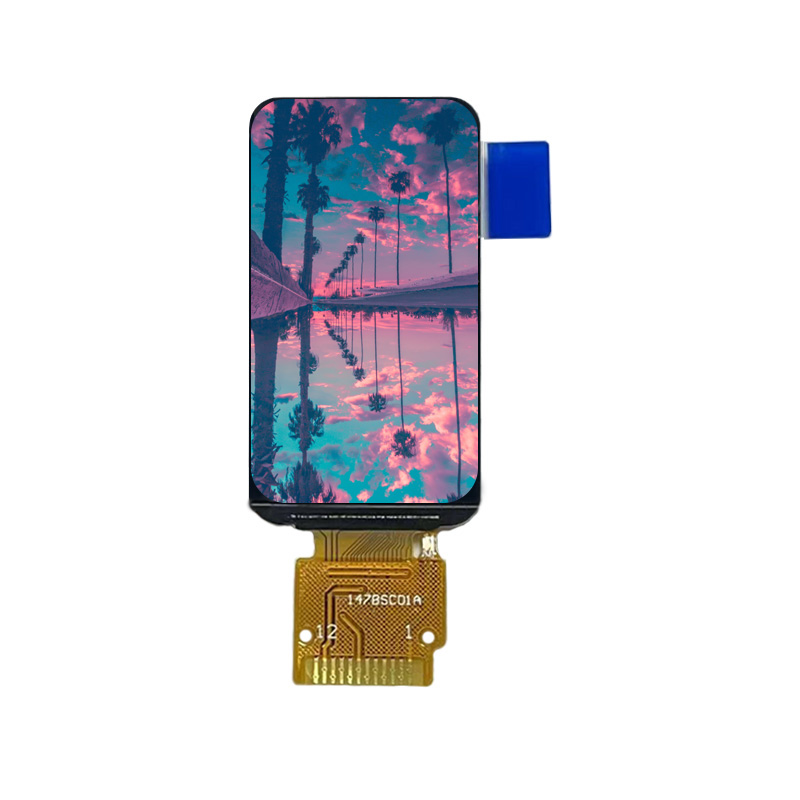
1.47 Inch 172*320 IPS TFT LCD Display Module

What Is LCD Display

You interact with LCD display technology every day. LCD stands for Liquid Crystal Display. This technology uses liquid crystals sandwiched between two glass layers. When you apply an electric current, the crystals change their orientation. This process controls how much light passes through each pixel. LCD screens rely on a backlight to illuminate the display. You see LCD displays in calculators, digital watches, and basic handheld games. LCD screens offer thin profiles, lightweight designs, and low power consumption. You benefit from clear visibility in outdoor conditions and simple graphics.


What Is TFT Display

You encounter TFT display technology in devices that demand high performance. TFT stands for Thin-Film Transistor. TFT LCD screens use an active matrix structure. Each pixel contains three subpixels—red, green, and blue—each controlled by its own transistor. This design allows you to address every pixel individually. You gain precise control over color and brightness. TFT LCD displays deliver sharper images, vibrant colors, and faster response times. You find TFT screens in smartphones, laptops, gaming monitors, and modern TVs. The active matrix design improves image quality and speed compared to standard LCD screens.

Note: TFT is a subtype of LCD. When you compare tft vs lcd, you actually compare standard LCD screens (passive matrix) with TFT LCD screens (active matrix).


Differences Between TFT and LCD

You notice several differences between tft and lcd technologies. The structure, image quality, response time, and typical use cases set them apart. The tft vs lcd debate centers on these features.

Feature

LCD Display

TFT Display

Pixel Control

Uses passive matrix, slower and less precise

Uses active matrix, faster and more accurate

Image Quality

Adequate for basic text and simple graphics

Superior quality with higher contrast and color

Response Time

100-300 milliseconds for pixel transitions

Typically under 25 milliseconds

Power Consumption

Generally lower, especially in reflective modes

Higher, but modern TFTs have improved efficiency

Cost

Lower initial costs due to simpler manufacturing

Higher initial costs, but decreasing over time

You see that tft lcd screens offer better pixel control. The active matrix design lets you enjoy faster and more accurate image updates. Standard LCD screens use a passive matrix, which results in slower response times and less precise images.

Feature

TFT Displays

Standard LCD Displays

Contrast Ratios

Higher contrast ratios

Lower contrast ratios

Color Vibrancy

More vibrant colors

Less vibrant colors

Image Quality

Better overall image quality

Inferior image quality

You experience richer colors and higher contrast with tft lcd screens. Standard LCD screens provide basic image quality, suitable for simple graphics and text.

Feature

TFT Display

LCD Display

Color Depth

4,096 colors (12-bit)

16.7 million colors (24-bit)

Contrast Ratio

100:1

1000:1 to 3000:1

You notice that tft lcd screens can display a wide range of colors and achieve high contrast ratios. This makes them ideal for tasks that require accurate color reproduction.

You also observe differences in response time and refresh rate. TFT screens change images in less than 25 milliseconds. Standard LCD screens may take 100 to 300 milliseconds, resulting in blurry or ghosted moving images. You benefit from smooth action in games and videos with tft lcd screens.

  • TFT displays provide faster response times, typically between 1 to 5 milliseconds.

  • Traditional LCDs have slower response times, ranging from 100 to 300 milliseconds, leading to motion blur.

  • TFT displays are better suited for fast-moving images, such as in gaming and video playback.

You encounter tft vs lcd in many devices. TFT LCD screens appear in smartphones, tablets, laptops, gaming monitors, and modern TVs. Standard LCD screens are common in calculators, digital watches, and basic handheld games.

Display Type

Typical Use Cases

TFT

Smartphones, Laptops, Gaming monitors, Modern TVs

Standard LCD

Calculators, Digital watches, Basic handheld games

You see LCD displays favored in consumer electronics due to their thin and lightweight design, low power consumption, and readability in outdoor conditions. You find them in portable devices like phones, tablets, and laptops, as well as in large-format TVs and desktop monitors.

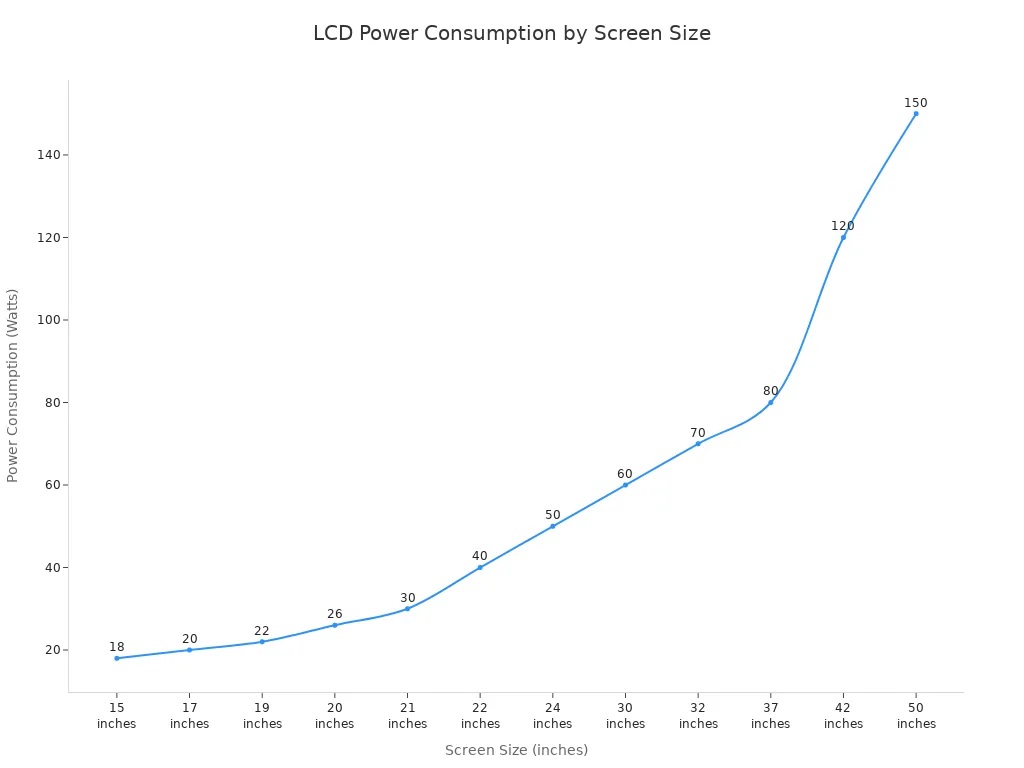
Power consumption varies with screen size. LCD screens use less power, especially in reflective modes. TFT LCD screens consume more power, but modern designs have improved efficiency.

Durability and reliability also differ. TFT LCD screens last longer and withstand harsh environments better. You rely on them for outdoor and industrial use. Standard LCD screens have shorter lifespans and may suffer from image retention.

Display Type

Durability

Reliability

TFT

More durable, longer lifespan, better environmental resilience

Suitable for outdoor and industrial use

LCD

Shorter lifespan, susceptible to image retention

Viable for applications with infrequent replacement

When you compare tft vs lcd, you must consider environmental factors. TFT LCD screens operate effectively within a temperature range of -20°C to 60°C. Outside this range, you may see image retention and color distortion. LCD screens struggle in low temperatures, as liquid crystal molecules lose fluidity and response speed. Manufacturers modify materials and components to ensure LCD screens function in extreme conditions.

The tft vs lcd display comparison helps you understand which technology fits your needs. You weigh differences between tft and lcd based on structure, image quality, speed, power consumption, durability, and typical use cases.


TFT Display Features

165*100mm Mono LCD Display

Image Quality and Color

You notice that tft lcd screens deliver superior image quality compared to standard LCDs. The thin-film transistor technology in a tft display gives you precise control over each pixel. This control leads to better overall image quality, higher contrast ratios, and vivid colors. You see accurate color reproduction and a wide color gamut, which means images look true to life. The active matrix design in tft lcd panels ensures that you experience color accuracy and image stability from different viewing angles. You benefit from minimal color distortion, even when you view the screen from the side. If you need a touch-ready display for interactive applications, tft lcd technology supports this feature without sacrificing image quality.


Refresh Rate and Response Time

You enjoy a higher refresh rate and fast response time with tft lcd screens. These displays usually change images in less than 25 milliseconds, while standard LCDs may take up to 300 milliseconds. The higher refresh rate means you see smoother motion in games and videos. You avoid motion blur and ghosting, which often occur with slower screens. For gaming or fast-paced video, tft lcd technology gives you a clear advantage. The quick response of each pixel ensures that moving images remain sharp and fluid.

  • TFT lcd screens typically have a higher refresh rate.

  • You experience smoother action and less blurring during fast movements.


Power Consumption

You may wonder about power usage in tft lcd displays. A 12.1-inch tft lcd usually consumes between 5 and 15 watts. While this is higher than some basic LCDs, modern tft lcd designs focus on low power usage. You can use these screens in portable devices without draining the battery too quickly. The balance between performance and efficiency makes tft lcd a practical choice for many applications.


Durability and Reliability

You rely on tft lcd screens for their durability and reliability. These displays often last up to 50,000 hours, with an uptime of 98.9% over five years. You see less than 1% of stuck pixels after 30,000 hours of use. The operating temperature range spans from -30°C to +85°C, so you can use tft lcd screens in harsh environments. The screens tolerate vibration and shock, making them suitable for industrial and outdoor use. You also benefit from consistent brightness and image stability over time.

Metric

Value

Average Lifespan (MTBF)

50,000 hours

Uptime over 5 years

98.9%

Brightness retention

850cd/m² (85%)

Operating temperature

-30°C to +85°C

Vibration tolerance

5G

Shock tolerance

50G

Tip: Choose tft lcd displays when you need long-lasting, reliable performance in demanding conditions.


LCD Display Features

Viewing Angles

You often want a screen that looks clear from any direction. Not all lcd display types perform the same way. Standard lcd display panels, like twisted nematic (TN) or tft lcd, can show color shifts or lower contrast when you view them from the side. In contrast, IPS panels, which are a type of lcd display, give you excellent viewing angles and consistent image quality. You can compare the main types in the table below:

Display Type

Viewing Angle Performance

Image Quality

Contrast

IPS

Excellent

Consistent

High

TFT

Poor

Variable

Low

If you need a screen for group viewing or public displays, you should consider IPS lcd display panels. For personal devices, tft lcd screens may be enough, but you might notice some color changes at sharp angles.


Cost and Affordability

You may look for a cost-effective solution when choosing a display. Standard lcd display panels usually cost less than tft lcd screens. Manufacturers can produce them with simpler technology, which lowers the price for you. This makes lcd display panels a cost-effective choice for many projects. The table below shows how costs compare:

Display Type

Cost Characteristics

TFT

Generally more expensive due to advanced technology and superior performance.

Standard LCD

More affordable, suitable for applications where high-end image quality is not essential.

You save money with standard lcd display panels, especially when you do not need the advanced features of tft lcd screens. Many schools, offices, and factories choose lcd display panels because they are cost-effective and reliable.


Typical Applications

You find lcd display technology in many industries. These screens work well in environments where durability and cost-effective operation matter. You see lcd display panels in factory automation, food and beverage processing, and transportation. They also appear in healthcare equipment and outdoor signage. The table below highlights common uses:

Industry

Application Description

Factory Automation

Used for human-machine interface (HMI) on production lines.

Food and Beverage

IP-rated displays that can withstand cleaning and sanitization.

Chemical and Pharmaceutical

Displays that resist harsh chemicals and disinfectants.

Transportation

Mounted in vehicles requiring shock and vibration resistance.

Healthcare

Incorporated in medical equipment demanding high reliability.

Outdoor Signage

High-brightness screens that offer sunlight readability.

You rely on lcd display panels for cost-effective performance in both commercial and industrial settings. While tft lcd screens offer better image quality, standard lcd display panels remain the most cost-effective choice for many everyday applications.


TFT Better? Pros and Cons

TFT Display Pros

You gain several advantages when you choose a TFT LCD display. Many users ask, "Is tft better for my needs?" The answer often depends on your priorities, but you will notice that tft lcd screens offer features that make them stand out in many applications.

Advantage

Description

Budget-friendly

You can find tft lcd screens at reasonable prices for many devices.

Long-lasting operation

You benefit from reliable performance and extended lifespan.

Steady performance

TFT lcd displays maintain consistent quality, even during long-term use.

Superior outdoor visibility

You see the screen clearly, even in bright sunlight, which is ideal outdoors.

Color accuracy

You experience precise color reproduction, important for design and medical use.

Superior image quality

You enjoy sharper images and better overall image quality for videos and games.

Higher contrast ratios

You notice deeper blacks and brighter whites, making visuals more vivid.

Tip: If you need a display for outdoor use or require color precision, tft better meets your expectations.

You also find that tft lcd vs amoled comparisons often highlight the durability and steady performance of tft lcd screens, especially in static display conditions.


TFT Display Cons

You should also consider the drawbacks before deciding if tft better fits your needs. Some limitations may affect your choice, especially for portable or high-end devices.

  • You may see higher power consumption with tft lcd screens, which can reduce battery life in mobile devices.

  • The cost of tft lcd displays can be higher, especially for large or advanced models.

  • You might notice limited viewing angles compared to IPS or AMOLED panels, which can cause color shifts from the side.

  • TFT lcd vs amoled comparisons often show that amoled offers deeper blacks and thinner designs.

  • You may find that tft lcd screens are less flexible in design than newer technologies.

Note: If you want the best battery life or the widest viewing angles, tft better may not always be the right answer.


LCD Display Pros

Standard LCD displays still offer many benefits, especially if you want a cost-effective solution. You may find lcd screens in entry-level monitors, kiosks, and industrial equipment.

Benefit

Description

Lower cost

You save money because lcd screens are cheaper to produce and buy.

High responsiveness (TN)

You get fast response times, which help with fast-moving images.

Strong static contrast (VA)

You see deeper blacks in static scenes, especially with VA panels.

Better baseline energy efficiency

You use less power, which is good for basic devices and long-term use.

Good durability for basic use

You rely on lcd screens for simple, everyday applications.

You may notice that lcd displays work well for budget projects and basic needs. If you do not need superior image quality, lcd screens provide a practical choice.


LCD Display Cons

You should be aware of the limitations of standard lcd screens. These drawbacks can affect your viewing experience and device performance.

  • You may see limited viewing angles, which cause color and brightness distortion when viewed from the side.

  • Uneven backlighting can lead to brightness distortion across the screen.

  • LCD screens cannot achieve deep black levels because liquid crystals do not fully block the backlight.

  • You may experience motion blur due to slow response times, especially in older passive-matrix lcds.

  • Some lcd screens use pulse-width modulation (PWM) for dimming, which can cause eye strain during long use.

Parameter

Old Passive-Matrix LCD

Modern TFT LCD (Basic TN Type)

Response Time

200 - 500 ms

1 - 5 ms

Viewing Angle

< 30 degrees

Up to 170 degrees (IPS/VA)

Color Depth

256 - 4,096 colors

16.7 million colors

Contrast Ratio

50:1 to 100:1

1000:1 to 3000:1

You may find that tft better suits your needs if you want faster response times and better overall image quality. However, if you only need a simple, affordable display, standard lcd screens remain a solid choice.

Remember: Always match your display choice to your specific needs. Ask yourself if tft better fits your priorities for image quality, speed, power, and durability.


Choosing Between TFT and LCD

Factors to Consider

When you choose between tft lcd and standard LCD displays, you need to weigh several important factors. Your decision depends on how you plan to use the screen, your budget, and the level of performance you expect.

  • Application Scenario: Think about where and how you will use the display. For gaming, you want fast response times. For professional work, you need accurate colors. For outdoor or industrial use, durability matters most.

  • Budget: If you have a tight budget, standard LCD screens may fit your needs. If you can spend more for better performance, tft lcd displays offer advanced features.

  • Performance Requirements: Consider what matters most to you—image quality, speed, or power efficiency. A tft lcd display gives you sharper images and vibrant colors, while a standard LCD may save energy.

  • Wide Compatibility: Some devices require displays that work with many systems. You should check if your chosen screen supports wide compatibility with your hardware.

Tip: Always match your display choice to your main priorities. A tft lcd display works best for high-speed and high-quality visuals, while a standard LCD suits basic tasks.


You should choose your display technology based on your needs. TFT LCDs give you sharper images and faster response times, while standard LCDs offer affordability and good brightness. Use the table below to compare strengths and weaknesses:

Display Technology

Strengths

Weaknesses

TFT LCD

Sharp images, fast response

Higher cost, more power use

LCD

Affordable, bright

Lower contrast, less color depth

Think about factors like display size, resolution, temperature range, and power consumption. Your priorities—image quality, speed, cost, and durability—will guide your best choice.


FAQ

What is the main difference between TFT and standard LCD displays?

You see the main difference in how each pixel is controlled. TFT uses an active matrix with transistors for each pixel. Standard LCD uses a passive matrix, which results in slower response and lower image quality.

Can you use TFT displays outdoors?

Yes, you can use TFT displays outdoors. Many models offer high brightness and anti-glare coatings. You get clear visibility even in sunlight, which makes them ideal for outdoor kiosks and industrial equipment.

Do TFT screens consume more power than LCD screens?

You usually notice higher power consumption with TFT screens. The active matrix design needs more energy to control each pixel. Modern TFTs have improved efficiency, but standard LCDs still use less power overall.

Which display type is better for gaming?

You get better performance for gaming with TFT displays. They offer faster response times and smoother motion. You avoid motion blur, which is common with standard LCD screens.

Are TFT displays more expensive than LCD displays?

Yes, you often pay more for TFT displays. The advanced technology and better image quality increase the cost. Standard LCD screens remain the budget-friendly option for basic needs.

You want to see every signal clearly on your factory floor. LED stack light gives you unmatched visibility, reliability, and energy savings. Choose stack lights to cut your maintenance time and boost safety. When you upgrade to led technology, you make every light in your process brighter, longer-lasting, and more efficient.

Surface Mount LED Stack Light

LED Stack Light Advantages


Enhanced Safety

You improve safety on your factory floor when you choose led stack light. These lights give you bright, clear signals that help your team spot warnings and status changes right away. Signal towers with led technology do not flicker or fade, so you always see the right color at the right time. You reduce accidents and keep your workers safe because everyone can trust the signal from each light.

Lower Downtime
You want your machines running as much as possible. Led stack light helps you cut downtime. These lights last much longer than traditional bulbs. You do not need to stop production to replace burned-out lights. Signal towers with led modules resist vibration and dust, so you spend less time on repairs. Your team can focus on keeping the line moving.

Cost Savings
You save money every month with led stack light. These lights use less energy and need fewer replacements. You lower your power bills and maintenance costs. Over time, the savings add up. You get more value from your investment in stack lights.

Flexibility
You get more options with led stack light. Modular signal towers let you add or change light colors as your process changes. You can scale your system as your factory grows. Smart integration features let you connect your lights to other equipment for better control. You build a system that fits your needs today and tomorrow.
24v LED Stack Light
Addressing Concerns
Upfront Cost
You may worry about the initial price of switching to LED stack light. The upfront investment can seem high compared to older signal towers. However, you gain long-term savings that quickly offset the cost. When you install energy efficient led light bars, you lower your utility bills every month. Many factories see a drop in energy costs by 25% to 40%. This means you keep more money in your budget and improve your bottom line.

You reduce utility costs with every light you upgrade.

You spend less on replacements and repairs.

You boost your net operating income over time.

Compatibility
You might wonder if LED stack light will work with your current systems. Most modern LED signal towers fit into existing setups with little effort. Manufacturers design these lights to match standard mounting and wiring. You can often swap out old lights without changing your control panels. This makes the upgrade process smooth and fast. You keep your operations running while you improve your lighting.

Case Studies
Factories across the country have made the switch to LED stack light. One automotive plant replaced all its old signal towers with new LED models. The team noticed brighter signals and fewer maintenance calls within weeks. Another facility upgraded to LED and saw a sharp drop in downtime. Workers responded faster to alerts because every light stayed clear and bright. These real-world results show how LED stack light can transform your factory’s performance.

When to Use Traditional Lights
You may find that traditional signal lights still serve a purpose in certain situations. While LED stack lights offer clear advantages, older technologies can fit specific needs. Consider these scenarios before making a complete switch:

Budget Constraints
If you operate a small facility with limited funds, you might choose traditional lights for initial installations. Incandescent or fluorescent models cost less upfront. You can use them in areas where signal visibility is not critical.

Short-Term Projects
You may run temporary production lines or pilot projects. In these cases, traditional lights work well because you do not need long-term durability. You avoid investing in advanced technology for short-term use.

Legacy Equipment Compatibility
Some older machines only accept traditional signal lights. You may face challenges when upgrading to LED stack lights. If you want to avoid rewiring or retrofitting, you can keep using existing lights.

Low-Intensity Environments
You may have areas with minimal activity or low risk. Traditional lights provide basic signaling without the need for high brightness or advanced features.

A TFT display module shows clear and bright images on devices. Each pixel is managed by a thin-film transistor. This control helps you change the brightness and color for each pixel. You get sharper pictures and quicker screen changes because of this. TFT display is better than old displays in contrast and color. Knowing how TFT modules work helps you pick the best display for your needs.

  • TFT display modules give you better image quality.

  • Advanced technology in TFT displays makes your device work better.


Key Takeaways

  • TFT display modules show very clear pictures with bright colors and less blur. This makes them great for devices that need sharp images.

  • Each pixel in a TFT display has its own thin-film transistor. This helps the screen change pictures fast and look smooth.

  • People use TFT displays in smartphones, tablets, and medical tools. These screens are bright and easy to read, which makes using them better.

  • Picking a TFT display with high resolution and IPS technology helps colors look right and lets you see from many angles. This is good for games and watching videos.

  • TFT modules work well for a long time. But you must be careful not to drop them or have power problems, or they can break.


What Is a TFT Display Module?Golden Vision 1.6 Inch 400*400 TFT LCD Display Module LCD Screen


Definition and Basics

A TFT display module is a group of parts that shows pictures on your device. It has a liquid crystal display, connectors, control circuits, and a printed circuit board. There is also a backlight and strong parts to hold everything together. These pieces work as a team to give you clear and bright images. Thin-film transistors help control each pixel in the TFT display. This means you see sharp pictures, fast screen changes, and bright colors. Each pixel has its own transistor, so images stay steady and respond quickly. That is why TFT display modules are great for devices that need clear and steady screens.

Note: The active matrix design in TFT technology helps pictures move smoothly and colors look right.


Role in Modern Electronics

You find IPS TFT LCD modules in many things you use every day. Doctors use them to see medical pictures that are bright and clear, so they can make good choices. You use your phone or tablet with a TFT display, which lets you tap and swipe quickly. In cars and factories, TFT displays show bright screens you can read from different angles, even when the light is strong.

  • Key roles of TFT display modules in modern electronics:

    • Show clear pictures for medical machines.

    • Make phones and tablets respond fast to touch.

    • Give bright, easy-to-read screens in cars and factories.

TFT display modules help you see and use your devices better. They make sure you always get good color, sharpness, and clear pictures on your screen.


How TFT Display Modules Work


Main Components of TFT Display

To understand a TFT display module, look at its main parts. Each part helps make the screen show clear and sharp images. The table below lists the main parts and what they do:

Component

Role

Substrate Materials

These are the base for all layers. They are usually glass so you can see clearly.

Liquid Crystals

They control how light goes through. This makes high-quality pictures.

Thin-Film Transistors

They control each pixel. This lets you see bright colors and sharp images.

Color Filters

They use red, green, and blue to show colors. This helps make colors look right.

Backlight Unit

This lights up the screen so you can see the picture.

Polarizers

They help control light going in and out. This makes the picture look better.

All these parts work together as a team. This teamwork gives you clear pictures and good quality. The TFT matrix is like a boss. It makes sure every pixel has the right color and brightness.


Pixel Control with Thin-Film Transistors

A IPS TFT LCD display module uses a thin-film transistor and a capacitor for each pixel. This setup lets you control every pixel very well. Here is how it works:

  • Each pixel has its own transistor. This means you can change the color and brightness for each one.

  • The transistor moves the liquid crystals. This lets the right amount of light go through.

  • The capacitor holds a charge for each pixel. This keeps the pixel steady until the screen changes again. You see smooth and steady pictures because of this.

  • The active matrix system lets pixels update fast. You get quick response times, usually 5 to 8 milliseconds.

  • Each pixel works by itself. This gives you sharp pictures and less blur, even when things move fast.

Tip: Good pixel control in a TFT display helps games, videos, and fast-moving things look better.


Image Quality and Performance

TFT technology is better than passive LCD displays in many ways. Here are some reasons why:

  1. You see sharper pictures because each pixel is controlled on its own. This makes images clear and bright with less blur.

  2. TFT displays change pictures much faster. They can switch in 1 to 5 milliseconds. Passive LCDs take 300 to 500 milliseconds.

  3. Colors look better and more real. TFT technology lets you see smooth color changes.

  4. The refresh rate is higher. This means you can watch fast videos or play games without lag.

  5. TFT display modules show more detail. You get high-resolution images and better quality.

Here is a table that compares TFT display modules and passive LCD displays:

Feature

TFT Display Module

Passive LCD Display

Pixel Control

Each pixel is controlled alone

Pixels share control

Refresh Rate

Fast, good for moving pictures

Slow, best for still images

Color Accuracy

High, colors look real

Not as good, colors less true

Response Time

1-5 ms

300-500 ms

Image Clarity

Sharp pictures

Pictures look blurry

Energy Consumption

Uses more energy for moving stuff

Uses less energy for still stuff

TFT display modules give you better performance, especially for sharp and clear pictures. They use more energy when you watch videos or play games. But new technology is making them use less power. You can count on a TFT display for great image quality, sharp pictures, and bright colors in your devices.


Features and Advantages of TFT Displays


Color and Sharpness

A TFT display gives you bright and real-looking images. This technology lets you see lots of colors and smooth color changes. Most TFT screens in devices have resolutions from 128x160 to 800x480 pixels. Many of these screens show full color RGB, so pictures and videos look vivid.

  • Each pixel is controlled by itself. This makes images clear and less blurry.

  • IPS panels are a kind of TFT. You can see the screen from wide angles without losing color or detail.

  • Colors look better, so photos and videos seem real.

Tip: For games or movies, pick a TFT display with high resolution and IPS technology for the best results.


Touchscreen and Interactivity

Many TFT displays work with touchscreens. You can use your fingers or a stylus to control your device. There are two main kinds of touch technology:

  • Resistive touch has two layers that feel pressure. You can use it even if you wear gloves.

  • Capacitive touch has a special layer that feels your finger’s electric field. This lets you use more than one finger and get fast responses.

When you put TFT and capacitive touch together, you get a sharp and quick display. This is common in phones, tablets, and car screens. Touch sensors make devices thinner, brighter, and more sensitive to your touch.

Benefit

Description

Compact Form Factor

Devices get thinner and lighter.

Enhanced Optical Clarity

You see brighter images because there are fewer layers.

Better Touch Response

Your taps and swipes work faster and more accurately.

Note: Touchscreen features make devices easier and more fun to use.


Reliability and Limitations

You can trust a TFT display to last for years. Most TFT modules work for about 50,000 hours. This means you could use your device for 8 hours a day for 17 years. You get steady performance and good value for a long time.

But TFT displays do have some limits:

  • The glass can break easily if you drop it.

  • Power problems, hardware damage, or connector faults can stop the screen from working.

  • If the liquid crystal layer breaks, you might see spots or lines on the screen.

Limitation/Failure Mode

Percentage of Cases

Description

Power issues

>60%

Flickering or black screens from voltage problems.

Hardware damage

~20%

Cracked boards or broken parts inside the display.

Connector issues

~30%

Loose or dirty connectors causing blank screens.

Remember: Be careful with your TFT display to keep it working well and looking good.


Types and Applications of TFT Display ModulesGolden Vision 1.5 Inch 480*240 TFT LCD Display Module LCD Screen


Common TFT Types

There are many kinds of TFT display modules. Each type has special features and uses. The table below shows the most popular types and where they are used.

Type of TFT Display Module

Features

Applications

Standard TFT LCD

High resolution, wide viewing angles, good color reproduction

Consumer electronics, industrial control, medical equipment

IPS TFT LCD

Wider viewing angles, better color consistency

High-end monitors, TVs, high-end mobile devices

High Brightness TFT LCD

Clear display in strong light, high contrast

Outdoor equipment, in-car displays, industrial panels

Touchscreen TFT LCD

Integrated touch technology, multi-touch functionality

Smartphones, tablets, POS terminals, industrial equipment

Round TFT LCD

Unique circular design, high resolution

Smartwatches, instrument panels

Dual-Sided TFT LCD

Two displays in one module, simultaneous content display

E-readers, billboards

Flexible TFT LCD

Flexible substrates, lightweight, durable

Wearable devices, foldable phones

Transparent TFT LCD

Transparent display properties, high transparency

Augmented reality devices, transparent billboards

Ultra-Wide TFT LCD

Ultra-wide aspect ratio, larger display area

Financial transaction terminals, monitoring systems

TFT modules work in many places. IPS panels show the best colors and wide viewing angles. TN panels are good for gaming because they respond quickly. VA panels have high contrast and deep blacks. This helps in home entertainment and medical screens. You can see how these panels compare in the table below.

Aspect

TN Panel

VA Panel

IPS Panel

Color Accuracy

Poor

Better

Best

Viewing Angles

Narrow

Wider

Very wide

Contrast Ratio

Lower

High

Moderate to high

Response Time

Fast

Decent

Slower

Cost

Affordable

Mid-range

Expensive

Best For

Gaming, budget

Entertainment, medical

Professional work, design

Note: Pick the TFT panel that fits your needs for color, speed, and price.


Uses in Electronic Devices

TFT display modules are found in many devices. They make screens look better and easier to use. Here are some common uses:

  • Smartphones

  • Tablets

  • Industrial control systems

  • Medical equipment

  • Automotive dashboards

  • Smart home systems

  • Self-service terminals

TFT displays give you sharp images and fast refresh rates. Colors look bright and real. Motion is smooth and contrast is strong. Touch features let you tap, swipe, and use gestures. This makes TFT displays great for modern devices.

TFT modules help in medical imaging, industrial monitoring, and entertainment. You get clear details and easy-to-read text. The market for TFT displays is growing fast. In 2022, it was worth US$ 306.1 million. By 2030, it could reach US$ 1,051.3 million. More devices use TFT displays every year.

The TFT module is the most flexible and reliable display technology. You get new features and strong performance in many devices.

New improvements include flexible parts, quantum dots, and high refresh rates. These upgrades make screens brighter and last longer. TFT displays are tough and work well in hard conditions. They support gesture controls and change brightness to match your needs. This makes them perfect for AR, VR, and wearable devices.

You can trust TFT display modules for clear pictures, fast touch, and strong performance in all your favorite devices.


You can trust TFT display modules to show clear pictures and bright colors, even when the light is strong or dim. These screens use smart pixel control. This makes images look sharp and lets the screen react quickly. You also save energy and can see the screen from many angles. These things help in lots of different devices.

Feature

Benefit

High Resolution

Sharp, detailed images

Fast Response

Smooth videos and games

Energy Efficiency

Longer battery life

Pick TFT displays if you want a screen that works well and looks good in your next device.


FAQ

What does TFT stand for?

TFT stands for Thin-Film Transistor. You find one transistor for each pixel on the screen. This setup gives you better control and sharper images.

How do you clean a TFT display?

Use a soft, dry cloth. Gently wipe the screen. Do not use water or harsh chemicals. You keep your display clear and safe this way.

Can you use a TFT display outdoors?

You can use a high-brightness TFT display outdoors. These screens stay bright even in sunlight. Check the brightness rating before you choose one for outdoor use.

Why do colors look better on a TFT display?

  • Each pixel has its own transistor.

  • You see bright, true colors.

  • Images look smooth and clear.


When you use an IPS TFT LCD Module in your project, you will face many problems. You may notice high power use, especially with battery devices. You might also see backlight bleeding or uneven display, which can make images look worse. Adding things like touch layers or EMI protection can make things harder. Careful planning with fast circuit design, EMI control, and good tools will help you build a system that works well.


Key Takeaways

  • Make sure your embedded system works with small size IPS TFT LCD module. This helps you avoid problems and makes everything work right.

  • Pick the best interface for your display. Think about speed, distance, and how hard it is to use. This helps your display work better.

  • Design your PCB layout with care. This keeps signals strong and lowers electromagnetic interference. Your display will work better.

  • Choose an IPS TFT LCD module by looking at size, resolution, and brightness. Make sure it fits what your project needs.

  • Plan for firmware updates and pick trusted suppliers. This helps your display last longer and work well over time.


Check System Compatibility for Embedded Systems

When you begin a project with IPS TFT LCD modules, you need to see if your embedded systems can use them. This step helps you stop problems before they happen and makes sure your display works right.


Assess MCU Resources

First, check your microcontroller or controller. It should have enough power and memory for the display. Medical display IPS TFT LCD modules use more resources than simple screens. If you want to use a gui, your controller must show graphics well. Make sure your controller can handle the display’s resolution and color depth. If your embedded systems use hard gui applications, you might need more RAM or a faster processor.


Interface Support and Power Needs

Now, look at the interface options your embedded systems have. IPS TFT LCD modules work with different standards:

  • LVDS: Good for high-resolution displays in factories.

  • eDP: Handles very clear pictures with more bandwidth.

  • MIPI DSI: Works well in small things like wearables.

  • HDMI: Great for systems with lots of videos or pictures.

  • SPI: Used for displays that do not need much data, like meters.


See if your controller can use these interfaces. Also, check the power supply. Frameless IPS TFT LCD modules need steady input voltage. Most modules work between 6V and 48V. Use this table to help you pick:

Specification

Value

Input Voltage Range

6V-48V


High-Speed Design and EMI

Fast signals can make electromagnetic interference (EMI) in embedded systems. You need to design your circuit to lower EMI. Try these ideas:

  • Add low-pass filters and ferrite beads to block bad signals.

  • Use good grounding to stop ground loops.

  • Put parts on the PCB so signal paths are short.

  • Cover sensitive parts with metal or EMI coatings.

These steps help your embedded systems pass tests like FCC, CE, and CISPR. Good EMI control keeps your display working well and your gui fast.


Plan Hardware Connections for LCD Display Modules

Interface Options: SPI, Parallel RGB, and More

You have to pick the best interface for your lcd display modules. SPI and parallel RGB are two popular choices. SPI is easy to use and sends data quickly. Parallel RGB gives you better pictures and works with many devices. Each one has good and bad points. Look at this table to see how they compare:

Feature

SPI Interface

RGB Interface

Advantages

Simplicity: Easy to set up and use.

Direct Control: High-quality image output.


Speed: High data transfer rates.

Wide Compatibility: Supported by many devices.

Disadvantages

Limited Distance: Not suitable for long distances.

High Pin Count: Requires many pins.


Signal degradation over longer cables.

Increased Complexity: Complicates PCB design.


Pick the interface that fits your project best. Think about how many pins you need, if the signals will stay strong, and if your lcd display modules will work with it.


PCB Layout and Signal Integrity

Your PCB layout should keep signals strong and clear. Signal integrity is important for lcd display modules. Try these tips:

  • Use tools like HyperLynx or SIWave before you build.

  • Pick the right materials and stack layers the right way.

  • Make sure traces are the same length to stop problems.

  • Check your work with oscilloscopes or protocol analyzers.

  • Use differential pairs with the same length and space for fast signals.

These ideas help stop noise and keep your lcd display modules working well. A good layout helps your lcd last longer.


ESD and EMI Protection

It is important to protect your lcd display modules from ESD and EMI. You can use different ways to keep your hardware safe. Here is a table with some good protection methods:

Method

Description

Filtering Capacitors

Add filtering capacitors to critical signal lines to absorb ESD pulses.

Series Resistors

Place small resistors in series with signal lines to limit ESD current.

Shielding Covers

Install metal or ITO shielding covers on lcd monitors to reduce the direct impact of ESD.

Grounding Path Optimization

Ensure good grounding connections for shielding covers and enclosures.

Interface Protection

Add ESD protection devices, such as TVS diodes, at the input and output interfaces.


You can also use antistatic materials and rubber pads that conduct electricity. These ways help your lcd display modules fight interference and work for a long time.


IPS TFT LCD Module Selection

Review Specs: Size, Resolution, Brightness

You should look at the specs before picking an ips tft lcd module. The size of the display changes how much you can show. Bigger screens are easier to read and use for hard tasks. Resolution is important because it shows more details and keeps things clear. Brightness helps you see the screen, even in bright places. If the display is very bright, like 1000 nits, you can see it in sunlight. High brightness also cuts down glare and makes contrast better. Here is a table with the main specs you should check:

Specification

Recommended for Budget Modules

Impact on Performance

Brightness (Nits)

300–500 nits

Higher brightness helps you see in bright light. It is needed for outdoor screens.

Viewing Angle

≥160° (H/V)

Wide angles let you read the screen from the side. This is good for dashboards and kiosks.

Color Accuracy

16.7M colors (24-bit)

Good color makes the screen look nice and clear.

Lifespan (Backlight)

≥30,000 hours

A long life means you do not need to fix or change it often.

Response Time

≤20ms

Fast response stops blur when things move on the screen.

Operating Temperature

-20°C to +70°C

The screen works well in hot or cold places.


Touch-Enabled Displays for Embedded Systems

Touch-enabled ips tft lcd modules give you more ways to use your screen. You can use touch screens in places with lots of light. Bright screens and anti-glare glass help you see, even in sunlight. This is great for factories and cars. Touch screens also show sharp pictures and react fast. You can change them to fit your project. Here are some things you get with touch screens:

Feature

Description

High-resolution output

Shows sharp pictures and text with lots of pixels.

Fast image response

Good for moving pictures and things you touch.

Modular adaptability

You can add touch and make the screen brighter.

  • Pick a display size and resolution that fits your needs.

  • IPS technology helps you see the screen from many sides.

  • Brightness and contrast make the screen easy to read anywhere.


Documentation and Development Tools

You need good guides and tools to use an ips tft lcd module. Clear datasheets, pinouts, and timing charts help you connect and use the display. Software kits give you code and drivers for microcontrollers like STM32 or ESP32. Example code helps you test GUIs, touch, and moving pictures fast. Firmware updates keep your screen working and add new things. Community help lets you fix problems quickly. Here is a table with helpful tools and guides:

Tool/Documentation Type

Description

Software Development Kits (SDKs)

Code, drivers, and APIs for microcontrollers like STM32 and ESP32.

Example code

Demos for GUIs, touch, and moving pictures to help you start.

Documentation

Datasheets, pinouts, timing charts, and guides for using the display.

Firmware updates

Updates to keep your screen working and add new features.

Community support

Forums and email help to solve problems fast.


Tip: Always read the guides before you start. Good guides and tools make it faster and easier to use your display.


Software Integration and Register Control

Driver Setup and Initialization

Start by getting the right drivers for your IPS TFT LCD module. Install libraries like Adafruit_GFX and Adafruit_ILI9341 for your display. These libraries let you draw shapes and show pictures. Try out example code from the library to check your setup. If you want to show pictures, save them as BMP files on an SD card. Connect the touch panel pins to your microcontroller’s GPIOs. Use a library like TouchScreen to add touch features. Clean your display often and keep it away from heat and water. Change the brightness so it fits the room. Doing these things helps you use your display and makes it last longer.


Testing and Debugging Output

Always test your display after you set it up. Use your development tools to see if the screen shows the right images and responds to touch. If you find problems, use debugging tools to look for mistakes in your code. Try different commands and watch what the display does. Testing helps you fix problems early and keeps your project moving. This step is important for making your display work well and finishing your project on time. Careful testing and debugging make sure your display works as it should.


Optimizing Performance and Long-Term Support

Cost and Feature Balance

Picking a cheap TFT LCD module is not just about price. You need to make smart choices that fit your project’s needs and budget.

You should think about both cost and features when choosing a display. First, look at the interface types. Some displays use SPI, others use parallel RGB. Each type changes your design and affects the cost. Think about how big the display should be. Higher resolution can make things look better, but it costs more. Decide if you need touch support. Not every project needs touch, but it can make your device easier to use.

  • Check which interface works for your system.

  • Choose the right size and resolution for your project.

  • Think about brightness and touch based on what users want.

  • Use common models to save money and make design faster.

When buying cheap TFT modules, pick standard models like 3.5" 320x240 with SPI. These are easier to find and cost less than custom designs.


Firmware Updates and Maintenance

Plan for firmware updates early. Good firmware makes your display work better and last longer. Update your code to fix bugs or add new features. Firmware can help control power and manage the display. This saves energy in your device. Test updates on real hardware before you share them. Keep your design simple so updates are easy. Regular updates make your display work well and improve user experience.


Supplier Reliability and Module Longevity

Picking a good supplier is important for long-term support. You want your display to last and work in different places. Use this table to see what matters most:

Criteria

Description

Temperature Range

Standard LCDs work from 0°C to 50°C. Industrial modules handle -30°C to +80°C.

Humidity and Moisture Resistance

Look for displays with coatings or sealed cases (IP65+) for wet places.

Dust and Water Protection

Pick modules with IP ratings to stop dust and water in tough settings.

Sunlight Readability

High-brightness panels (1000+ nits) or transflective tech are best for outdoor screens.

Lifespan and Long-Term Availability

LCDs last 30,000 to 100,000 hours. Ask suppliers about product life.

Backlight Degradation

LED backlights last longer than CCFL, so displays last longer.

Long-Term Availability Guarantees

Suppliers should promise long-term supply or backup options.


A normal IPS display lasts 40,000–70,000 hours. Always ask your supplier about how long the product will be available and supported. This helps you avoid problems and keeps your project running for years.

Using best practices lets you build software while displays are made. This can save weeks or months in your project timeline.

You can use power management, hardware control, and smart firmware to make your display last longer and work better. These steps help you give users a good experience and keep your design strong for the future.


You can add an IPS TFT LCD module to your project by following five easy steps. If you plan carefully, your project will work better and last longer. Planning helps your project in many ways:

Evidence Description

Impact on Reliability and Long-term Results

Making space for hard parts helps you build the same way each time.

This stops problems from pressure that you might not see at first.

A simple design keeps signals strong and stops parts from wearing out.

Your product will last longer, even if it moves or shakes a lot.

How you put the TFT in place changes how easy it is to build and how long it lasts.

Doing this step right saves time and makes your design stronger.


When you set up your module the best way, people using it will have a better time. The screen will show colors more clearly, touch will work faster, and everything will look better:

Improvement Aspect

Description

Color Accuracy

IPS technology keeps colors looking the same in different places.

Touch Responsiveness

Touch panels let you move through menus quickly and easily.

Visual Performance

Sharp pictures and bright colors make the screen easy to read and fun to use.


Sometimes, you might see problems like ghosting or burn-in. You can fix these with special tricks:

  • Ghosting makes strange marks on the screen.

  • Burn-in leaves spots that do not go away.

  • Use pixel overdrive, screen savers, and change brightness to help stop these problems.

If you plan well and pay attention to small things, your project will work well for a long time. You can make products that work great and make people happy.


FAQ

What makes IPS TFT LCD modules better for high-resolution displays?

You get sharper images and better colors with IPS TFT LCD modules. These modules work well in systems that need high-resolution displays. You can use them in any application that needs clear pictures and wide viewing angles.


How do I connect a touch display module to my systems?

You connect a touch display module by matching the interface to your systems. Check if your display controller supports the module. Use the right cables and follow the guide for your application. This helps you avoid mistakes and keeps your systems running well.


Can I use touchscreen LCDs in outdoor systems?

Yes, you can use touchscreen lcds in outdoor systems. Pick modules with high brightness and strong glass. These features help your application work in sunlight. You also need to protect your systems from water and dust.


Why should I choose interactive LCD screens for my application?

You should choose interactive lcd screens if you want users to touch and control your application. These screens make your systems easy to use. You can add them to kiosks, machines, or any application that needs user input.


What is the role of a display controller in embedded systems?

A display controller helps your systems show images and videos. It manages signals between your application and the screen. You need a good display controller for smooth pictures and fast response in your systems.

You see 3.5" tft lcd screen module technology almost everywhere now. These modules are very important in today’s electronics. You use their small size and flexibility in many gadgets. The picture quality is great, especially with better resolution in small modules. New IPS panels and touch features give you brighter colors and wider views. Energy-saving features help your devices last longer.

  • The world market for 3.5" tft lcd screen module technology will reach USD 96.53 billion by 2025. It will grow to USD 120.17 billion by 2032, with a 3.2% CAGR.
    You now have new things to think about when adding these modules to devices. What are the best future uses, and how will 3.5" tft lcd screen module technology change your daily life?


Trends in 3.5" TFT LCD Screen Module Technology

Advancements in Visual Quality and IPS Panels

There are new trends in the tft-lcd modules market. These trends focus on making screens look better. The Golden Vision 3.5 inch ips touch panel tft lcd module is a good example. It shows that people want high performance and good color. IPS panel technology is very important in the tft-lcd market. You get wide viewing angles and colors that look real. This makes the tft lcd display great for car dashboards, medical tools, and smart home products.

Feature

IPS Panels

TN Panels

Viewing Angles

Up to 178° wide viewing angles

Typically <70°

Color Accuracy

True color reproduction (16.7M colors)

Color shifting or inversion

Brightness Consistency

Consistent brightness across angles

Uneven brightness

Contrast Ratio

1200:1 to 1500:1

Lower contrast ratios

Response Time

Fast gray-to-gray response times

Slower response times

Ideal Use Cases

Shared viewing, design, monitoring

Limited applications


These trends help the tft-lcd modules market grow. More people want displays that look good and work well.


Touch Integration and User Interaction

Touch integration is changing the future of tft-lcd modules. New touch controllers are in the latest 3.5 inch ips touch panel tft lcd module. Capacitive touch screens let you use many fingers at once. They also respond quickly. Resistive touch screens are cheaper and work for many things.

  • Touchscreens let you tap, swipe, and drag.

  • Multi-touch helps you zoom and turn pictures.

  • Touch screens make devices easier for everyone.

  • You can change the screen to fit your needs.

  • Touch panels are used in cars, hospitals, and factories.

These new ideas make devices simple to use and more fun.


Energy Efficiency and Low-Power Design

Saving energy and using less power are big trends in the tft-lcd modules market. The Golden Vision 3.5 inch ips touch panel tft lcd module uses special brightness and good backlighting. This helps your device’s battery last longer. The screen can change its brightness to save power and stay clear in any light.

The tft-lcd modules market is growing because of energy saving and caring for the planet. These trends help the market reach cars, hospitals, and home electronics. In the future, tft display technology will use even less power and work better.

Tip: Pick tft-lcd modules with smart energy-saving features. This gives you the best battery life and screen quality for your devices.


Uses in Consumer Electronics

Small tft lcd modules are very important in many everyday gadgets. Their small size helps fit high-quality screens into different devices. This makes using these devices easier and more fun.


Portable Devices and Small Size TFT LCD Modules

You see small tft lcd modules in portable gadgets like handheld game consoles, cameras, and smart wearables. These screens show bright colors with good accuracy and wide viewing angles. This means you can see clear images from any direction. Their quick response times reduce lag, which is important for gaming or real-time info. Touchscreens, whether resistive or capacitive, let you easily tap, swipe, or select options. Because these modules use less power, they help your device’s battery last longer. They are flexible and can be used in many places, from outdoor trips to indoor activities.


Smart Home Controls and Appliances

In smart home systems, small tft lcd modules improve how you control lights, security, and temperature. For example, a 3.5-inch screen with high brightness and contrast stays visible even in bright rooms. These small modules, like 54.5x83x2.1mm, fit well into wall panels or appliance dashboards. They work well in different weather conditions thanks to their wide temperature range. The SPI4_lane interface makes it easy to connect these screens to smart home devices. They give clear visuals for complex controls or alerts. This makes your smart home easier to use and more efficient.


Entertainment and Multimedia Devices

Entertainment devices like portable media players, digital photo frames, and small projectors use small tft lcd modules. These screens show bright colors and sharp images, making watching videos or viewing photos more fun. Their slim design and low power use keep devices light and long-lasting. You can enjoy multimedia content without making devices bulky. Touch features also make it simple to browse menus, playlists, or photo galleries. As entertainment technology improves, small tft lcd modules will stay important for high-quality visuals in small devices.

Summary: These uses show how small tft lcd modules make consumer electronics better. Their flexibility, good display quality, and low power use make them essential in many everyday gadgets.


Medical and Industrial & Embedded Applications

3.5


Medical Devices and Monitoring Equipment

You can find tft-lcd modules in many medical devices today. These screens show important information fast and clearly. Infusion pumps and blood pressure monitors use tft-lcd screens to display numbers, graphs, and alerts. You can trust these screens because they follow strict safety and quality rules. The 3.5 inch tft-lcd is small, so it fits in tiny medical tools. The colors are bright and the images are sharp. This helps doctors and nurses make quick choices.


Here is a table that explains why tft-lcd modules are good for medical equipment:

Feature

Description

Visual Quality

Active matrix addressing lets you control pixels exactly.

Color Support

262K colors make pictures bright and easy to see.

Contrast Ratio

High contrast (over 500:1) keeps screens clear in any light.

Backlighting

LED backlighting gives even light, so there are no dark spots.

Reliability

Strong materials keep out dust, water, and handle temperature changes.

Operational Life

LED backlight lasts over 50,000 hours for long use.

Temperature Range

Works in many different places and weather.

Quality Control

Strict checks make sure every screen is high quality.


You need screens you can count on in hospitals and clinics. tft-lcd modules are reliable and safe for people and the planet. They follow rules like RoHS. You can use these screens for many years without problems.


Industrial and Embedded Applications with TFT-LCD

You see tft-lcd modules in many industrial and embedded systems. These screens help you control machines, check data, and keep things working right. You use them in control panels, portable tools, and even wearable computers. tft-lcd modules make it easy to see and touch controls, even in tough places like factories or outside.

Here are some ways tft-lcd modules are used in industry and embedded systems:

  • Human-machine interfaces (HMIs) on control panels

  • Portable diagnostic tools and patient monitors

  • Handheld devices like gaming consoles and wearable computers

  • Home automation systems for smart device control

  • DIY and maker projects for interactive electronics


You need screens that last long and work in hard places. tft-lcd modules are bright, resist EMI, and have strong designs. These features stop problems from shaking, hitting, or electrical noise. The industrial tft display shows clear images, even in bright or noisy places.


Here is a table that shows how tft-lcd modules help your industrial tft display and embedded systems:

Feature

Contribution to Performance and Durability

High Brightness

Lets you see the screen in strong light or sun.

EMI Resistance

Stops electromagnetic noise from causing screen problems.

Mechanical Reinforcement

Protects against shaking, hitting, and stress.

Long-Life Components

Keeps your system working longer and cuts down on repairs.


You can use tft-lcd modules in many smart projects. These screens help you make devices that are easy to use and last a long time. You can design new products for many jobs and industries.


Outdoor and High-Brightness Use Cases

You often need tft-lcd screens that work well outside. Sunlight can make normal screens hard to see. High-brightness tft-lcd modules fix this problem. You get clear pictures, even in bright sun. These screens use special backlights and IPS panels to keep colors bright and words sharp.


Here is a table that shows what makes tft-lcd modules great for outdoor use:

Feature

Description

Brightness

Levels over 600 nits, sometimes up to 1000 cd/m², for sunlight readability.

Viewing Angle

IPS technology gives you wide angles and color consistency.

Touchscreen

Capacitive touchscreens respond fast and last longer outside.

Backlight

8 white LEDs with over 80% uniformity stop sunlight from washing out images.

Dot Pitch

0.153 × 0.153 mm keeps text and icons sharp and easy to read.


You can use these tft-lcd modules in parking meters, outdoor kiosks, and handheld tools. The screens stay bright and clear, even when the sun is strong. IPS panels let you see the screen from any angle. Capacitive touch works well, even if you wear gloves or use the screen in the rain.

Note: When you pick a tft-lcd module for outdoor or factory use, look for high brightness and strong build. This helps your device last longer and work better anywhere.

You see tft-lcd technology in many parts of life today. It powers medical devices, industrial tft display systems, and many smart solutions. You get screens that are bright, reliable, and easy to use. These screens help you work smarter and safer.


Technical Advancements in TFT-LCD Modules

Golden Vision 3.5 Inch IPS Touch Panel


Interface Options and System Integration

There are many ways to connect 3.5 inch TFT LCD modules. Picking the right interface makes your device work better. You can choose from RGB, SPI, MIPI, or LVDS. Each one has its own good points. For example, the ST7272A driver IC works with the RGB interface. This gives you clear pictures and fast data. Choosing the best interface helps your system run well. It also makes it easy to connect with other parts. When the display fits well with your device, everything works smoother. You should also think about the screen’s resolution and how much power it needs. Matching these things helps your device work well and be easy to use.


Durability and Environmental Resistance

You want your TFT LCD modules to last in hard places. These screens can handle bumps, shaking, and hot or cold weather. Many models work from -30 to 80 °C. They also keep out water, dust, and chemicals. Some even meet tough military rules for strength. The table below shows how these features protect your screen:

Feature

Description

Shock/vibration resistance

Withstands harsh vibrations and shocks

Wide operating temperature

Works from -30 to 80 °C

Ingress protection

IP65/IP68 for water, dust, and debris

Chemically resistant materials

Resists chemical damage

Scratch-resistant glass

Prevents scratches and impacts

Military-grade standards

Meets MIL-STD-810 for extreme conditions

You can use these screens in factories, outside, or in medical tools. Strong features keep your display working anywhere.


Customization: Capacitive vs. Resistive Touch

You can pick capacitive or resistive touch for your 3.5 inch TFT LCD module. Capacitive touch is quick and smooth. It is good for phones and smart home controls. Resistive touch works better with gloves or a pen. It is used in medical and work tools. Customizing lets you pick what fits your needs best. Good touch screens make your device easier to use. The right choice makes your device more fun and simple. When you match the touch type to your job, you get better results and happier users.

Tip: Always look at the interface and how it fits before you choose your screen. This helps you get the best use and performance.


You notice 3.5" TFT LCD screen modules are changing electronics. These screens show clear pictures and bright colors. They also let you use touch controls easily. The table below explains how these new features help you:

Feature

Benefit

Wide Viewing Angles

You see clear images from any direction

Low Power Consumption

Your device battery lasts longer

Touchscreen Capabilities

Using the screen is simple and fun


You will see these screens in more gadgets as technology gets better. You can look forward to even nicer displays and smarter devices soon.


FAQ

What devices use 3.5 inch TFT LCD screen modules?

You can see these screens in many devices. They are in medical monitors and smart home panels. Handheld games and portable media players use them too. These screens are small and bright. You can see them clearly from any angle. That is why many new gadgets use them.


How do capacitive and resistive touchscreens differ?

Feature

Capacitive Touch

Resistive Touch

Input Method

Finger

Finger or stylus

Sensitivity

High

Medium

Durability

High

Good

You pick the type that fits your device best. It depends on what you need.


Can you use these screens outdoors?

Yes! Some screens are made for sunlight. High-brightness models work well outside. IPS panels keep colors bright from all sides. You can use these screens in parking meters. Outdoor kiosks and handheld tools use them too.


Are 3.5 inch TFT LCD modules energy efficient?

These screens help save battery power. They use special backlights to lower energy use. Smart features also help your device last longer. This means you do not have to charge as often.

You need a display that stands out in low-light conditions. Mono segment lcd technology, like the Golden Vision Mono LCD Segment Display, gives you high segment clarity and strong contrast. The integrated backlight in this lcd boosts monochrome visibility, so you read data quickly and accurately. You also benefit from the lcd’s durable build and custom brightness options that fit your specific application.


Key Takeaways

  • Mono segment LCDs provide high segment clarity and strong contrast, making them ideal for low-light environments.

  • Custom brightness settings and backlighting enhance visibility, allowing users to read information quickly and accurately.

  • These displays are durable and resistant to harsh conditions, ensuring reliable performance in various applications.

  • Monochrome LCDs reduce eye strain by minimizing glare and blue light exposure, promoting user comfort during extended use.

  • Choosing mono segment LCDs can improve productivity and efficiency in devices that require clear visibility in changing lighting conditions.


Visibility Challenges in Low-Light Settings

Common Issues with Displays

You often encounter several challenges when using a display in low-light environments. Glare from bright lights can make lcd displays uncomfortable to use. You may struggle to see the resolution of the display clearly. Many lcd displays lack proper brightness adjustment, which can lead to eye strain. Exposure to blue light from lcd displays affects your visual comfort, especially in dim settings. You need a display that maintains segment clarity and high resolution regardless of ambient lighting.


  • Glare from overhead lighting or nearby sources can obscure the lcd display.

  • Insufficient brightness adjustment on lcd displays increases discomfort.

  • Blue light exposure from lcd displays reduces visual comfort.

  • Poor resolution on lcd displays makes it difficult to read information.

  • Limited viewing angles of lcd displays restrict your ability to see the display from different positions.

You want a display that addresses these issues and provides consistent performance. Fully graphic monochrome lcd displays sometimes fail to deliver the clarity you need in low-light conditions. You require a display with optimal resolution and segment clarity.


Impact on User Experience

Your experience with lcd displays depends on how well the display adapts to low-light settings. If the display lacks proper resolution, you may miss important information. Poor segment clarity on lcd displays leads to mistakes and delays. When the display does not offer adjustable brightness, you feel discomfort and fatigue. Limited viewing angles of lcd displays prevent you from seeing the display from different positions.

A display with high resolution and adjustable brightness improves your comfort and productivity. You can rely on the lcd display to deliver accurate information, even in challenging lighting conditions.


You benefit from lcd displays that minimize glare and blue light exposure. You enjoy a display that maintains segment clarity and resolution across all viewing angles. Your tasks become easier when the lcd display adapts to your environment. You achieve better results with a display that meets your needs in low-light settings.

Display Challenge

User Impact

Glare

Reduced visibility

Poor resolution

Missed information

Limited viewing angles

Restricted usability

Blue light exposure

Eye discomfort

Lack of brightness control

Increased eye strain

You need a display that solves these challenges and enhances your viewing experience. The right lcd display ensures you see every detail with clarity and comfort.


Mono Segment LCD Technology Solutions

Mono LCD Segment Display


High Contrast and Segment Clarity

You need a display that delivers sharp, clear visuals in every environment. Mono segment lcd technology uses HTN, positive, and transflective types to maximize contrast and segment clarity. This approach ensures you see each segment with precision, even when ambient light is low or inconsistent. The lcd display technology in mono segment lcd modules creates a stable image with high resolution, so you never miss critical information.


Feature

Description

High Contrast Ratios

Segment lcds provide clear and easy-to-read displays, even in bright lighting conditions.

Custom Icons

Unique segments are defined for specific functions, enhancing clarity and user-friendliness.

Viewing Angles

Available in multiple angles (6:00, 12:00, 3:00, 9:00) to meet various application needs.


You benefit from a contrast ratio that outperforms many standard displays. For example, lcds offer ratios from 1000:1 to 5000:1, which means you get crisp, readable segments in both daylight and darkness.

Display Type

Contrast Ratio

OLED

Up to 1,000,000:1

LCD

1000:1 to 5000:1

Mono segment lcd modules also support custom icons and layouts, so you can tailor the display to your application. This flexibility improves the resolution and usability of your interface. You experience consistent performance across a wide range of viewing angles of lcd displays, which is essential for devices used in dynamic environments.


Backlight and Customization

You often work in settings where lighting changes throughout the day. The Golden Vision Mono LCD Segment Display addresses this challenge with a built-in backlight system. Five white LEDs illuminate the display, making every segment visible in low-light conditions. You can request custom brightness levels, so the display matches your specific needs.

Customization Option

Description

Display Type

Positive/Negative mode, transflective, or full-transmissive for varying lighting conditions.

Structure

Single glass (LCD panel), COB, COG, or VA-based designs for different integration needs.

Custom Segments & Icons

Tailored layouts, symbols, and graphics for specific user interfaces.

Wide Operating Range

Extended temperature (-30°C to +80°C or beyond) and low-power options.

Interface & Driver Compatibility

Support for SPI, I2C, parallel, or custom interfaces.


Mono segment lcd modules allow you to select the display type and structure that best fits your project. You can design custom segments and icons, which enhances the resolution and clarity of the display. The lcd display technology supports a wide operating range, so your device performs reliably in both hot and cold environments. You also benefit from compatibility with various interfaces, making integration simple.

Tip: Customizing the backlight and segment layout ensures your display remains readable and efficient, no matter where you use it.


Environmental Durability

You need a display that withstands harsh conditions without losing performance. Mono segment lcd modules excel in durability, making them ideal for industrial, automotive, and outdoor applications. The Golden Vision Mono LCD Segment Display operates reliably from 0°C to 50°C, with storage capability from -10°C to 60°C. Many mono segment lcds function in even wider temperature ranges, from -30°C to +80°C.

Test Type

Description

High-low temperature tests

Operate between -30°C to +80°C

UV aging tests

Assess resistance to UV exposure

Thermal shock cycles

Evaluate performance under rapid temperature changes

Long-hour backlight burn-in

Ensure backlight reliability over extended use

Guaranteed supply

3~10 years for standard lcd products


Mono segment lcd modules resist shock, vibration, humidity, and dust. You can rely on these displays for operational lifespans exceeding 50,000 hours. The robust design architecture ensures your lcd display technology continues to deliver high resolution and contrast, even after years of use.

  • Exceptional durability and reliability

  • Maintains performance across temperature extremes

  • Resistance to environmental factors such as humidity and dust

  • Operational lifespans over 50,000 hours

You gain peace of mind knowing your display will perform in any environment. Fully graphic monochrome lcd displays may struggle in extreme conditions, but mono segment lcd modules maintain clarity, resolution, and contrast where others cannot.

Monochrome lcd displays

Practical Benefits of Monochrome LCD Displays

Reduced Eye Strain

You experience less eye strain when you use monochrome lcd displays. The high contrast and segment clarity of monochrome lcd displays allow you to read information without squinting or adjusting your position. Monochrome lcd displays minimize glare and blue light exposure, which helps protect your eyes during extended use. The resolution of monochrome lcd displays ensures that you see every segment clearly, even in low-light environments. You benefit from consistent viewing angles of lcd displays, so you do not need to reposition yourself to see the display. Monochrome lcd displays provide a comfortable viewing experience for users of all ages.


Tip: Choose monochrome lcd displays for applications where users need to monitor information for long periods. You reduce fatigue and improve productivity.


Reliable Readability

Monochrome lcd displays deliver reliable readability in every environment. You rely on monochrome lcd displays to maintain high resolution and segment clarity, regardless of lighting conditions. Transflective technology in monochrome lcd displays enhances readability in bright light. Monochrome lcd displays provide better contrast under sunlight compared to color displays. You find monochrome lcd displays especially effective for displaying text and simple graphics. Monochrome lcd displays suit outdoor and industrial applications because they perform well in various lighting conditions. You trust monochrome lcd displays to deliver accurate information with clear resolution and stable performance.

  • Monochrome lcd displays utilize transflective technology for enhanced readability.

  • Monochrome lcd displays offer superior contrast in sunlight.

  • Monochrome lcd displays excel in outdoor and industrial settings.


Energy Efficiency

Monochrome lcd displays operate with very low power consumption. You benefit from the passive nature of monochrome lcd displays, which rely on ambient light or a backlight for visibility. Monochrome lcd displays sometimes use less energy than E-paper displays in static operation. Reflective segmented monochrome lcd displays utilize ambient light for illumination, reducing energy usage. You find monochrome lcd displays ideal for applications where low power usage is essential, such as toys and medical devices. The operation of monochrome lcd displays involves applying voltage to control light transmission. The reflective layer beneath the display ensures that monochrome lcd displays maintain low energy consumption by utilizing available ambient light. You achieve efficient performance and long battery life with monochrome lcd displays.


Display Technology

Power Consumption

Suitable Applications

Monochrome lcd displays

Very low

Toys, medical devices, meters

Color displays

Moderate to high

Smartphones, tablets

Fully graphic monochrome lcd displays

Low to moderate

Industrial, outdoor, signage

Note: Monochrome lcd displays help you extend battery life and reduce maintenance costs in your devices.


Comparing Display Technologies

Mono Segment LCD vs Dot Matrix LCD

You often choose between mono segment LCD and dot matrix LCD when you need a reliable display. Mono segment LCD gives you clear segment definition and high contrast. You see each segment with sharp resolution, which helps you read information quickly. Dot matrix LCD displays use a grid of pixels to form characters and graphics. This design offers flexibility, but you may notice lower segment clarity and less contrast in low-light environments. Mono segment LCD consumes less power than dot matrix LCD, making it ideal for battery-powered devices. You also benefit from longer operational life and consistent readability across a wide range of viewing angles. The segment LCD maintains high resolution and visibility, even when lighting conditions change.


Feature

Mono Segment LCD

Dot Matrix LCD

Segment Clarity

High

Moderate

Power Consumption

Very Low

Moderate

Readability in Low Light

Excellent

Good

Customization

High

High

Resolution

Sharp for segments

Flexible for graphics


Mono Segment LCD vs OLED

You may consider OLED displays for their vibrant colors and fast response times. OLED displays offer quick pixel changes, but you can experience motion blur due to sample-and-hold effects. Mono segment LCD uses backlight scanning and strobing to reduce motion blur, which improves segment clarity during movement. You get high contrast and excellent readability from both display types, but mono segment LCD stands out in low-light and sunlight conditions. OLED displays can suffer from burn-in over time, while mono segment LCD maintains stable resolution and segment clarity. You also use less energy with mono segment LCD, which extends battery life in portable devices. The display remains reliable and durable, even in harsh environments.


  • Mono segment LCD provides high contrast and sharp segment resolution.

  • OLED displays deliver fast response but may show motion blur.

  • Mono segment LCD avoids burn-in and uses less power.


Mono Segment LCD vs Other Displays

You find many display options, but mono segment LCD offers unique advantages. Monochrome segment LCDs operate by modulating ambient or backlight, not emitting light themselves. This design leads to very low power consumption, which is critical for devices used in low-light settings. You benefit from high contrast and excellent readability, even in dim or bright environments. The display resists harsh conditions, including temperature changes and mechanical stress. Monochrome segment LCDs do not suffer from burn-in, unlike some emissive displays. You can customize the display for your specific application, ensuring optimal resolution and usability. The display supports a wide range of viewing angles, so you always see clear information.

Tip: Choose mono segment LCD when you need a display with high resolution, low energy use, and reliable performance in any lighting.

  • Monochrome segment LCDs excel in medical, industrial, and outdoor applications.

  • The display maintains clarity and resolution across all lighting conditions.

  • You achieve long device life and consistent performance with this technology.


Applications of Mono Segment LCDs

Electric Meters and Instruments

You rely on electric meters and instruments for accurate readings in every environment. Mono segment lcd displays give you high contrast, which makes the display easy to read in low-light conditions. The design of these displays uses ambient light efficiently, so you do not always need the backlight. This feature helps you save energy, especially in battery-powered devices. You see clear segment definition and sharp resolution, which reduces errors and improves your workflow.

  • Mono segment lcd displays provide high contrast for enhanced visibility.

  • The display uses ambient light, minimizing backlight use.

  • Energy efficiency supports long battery life.

  • You benefit from clear segment resolution and reliable performance.

You can trust the display to deliver consistent results, even when lighting changes. The resolution remains stable, and the viewing experience stays comfortable.


Home Appliances and Medical Devices

You want your home appliances and medical devices to be safe and reliable. Mono segment lcd displays offer low power consumption, which extends battery life in portable devices. The high visibility of the display ensures you see important information, no matter the lighting. You get excellent readability and segment clarity, which enhances user safety. The durable design of these displays resists mechanical shock and vibration, so you can depend on them in critical settings.

  • Low power consumption makes the display ideal for battery-powered devices.

  • High visibility improves user safety and accuracy.

  • Durability ensures the display withstands shock and vibration.

  • You experience clear resolution and stable performance.

You find monochrome lcd displays in medical monitors, thermometers, and smart home controls. The display maintains high resolution and clarity, supporting your need for accurate data.


Printers and Scanners

You use printers and scanners in offices, homes, and industrial environments. Mono segment lcd displays give you a simple, reliable interface. The display shows status updates, error messages, and operational data with sharp resolution. You benefit from a monochrome display that reduces distractions and focuses on essential information. The viewing angle remains wide, so you see the display clearly from different positions.


Application Environment

Key Strengths

E-paper applications

Ultra-low power consumption and long operational life

Industrial sensors and equipment displays

Resistance to screen fatigue and reliable performance in challenging conditions

Manufacturing and industrial OEMs

Durability and bistability in rugged environments


You notice that monochrome lcd displays support operational efficiency. The display provides clear information, which helps you complete tasks quickly. The resolution stays sharp, and the display performs well in both bright and dim settings.

Tip: Choose mono segment lcd displays for devices that require high resolution, energy efficiency, and reliable performance in any environment.


You gain reliable visibility in low-light environments with mono segment LCDs like the Golden Vision Mono LCD Segment Display. High segment clarity, powerful backlighting, and robust durability ensure you see every detail with confidence. Customization options let you tailor the display to your project’s needs. Consider the following strengths:

Feature

Benefit

Segment Clarity

High contrast for clear readability

Backlighting

2000 nits brightness for enhanced visibility

Durability

Long lifespan and stable performance

Choose mono segment LCDs for projects that demand clear, vibrant visuals in any lighting condition.


FAQ

What makes mono segment LCDs ideal for low-light environments?

You get high segment clarity and strong contrast. The integrated backlight ensures you see every detail, even in dim conditions. Custom brightness settings let you adjust the display for your specific needs.

Can I customize the segment layout or brightness?

Yes, you can request custom segment layouts and backlight brightness. This flexibility helps you match the display to your application and ensures optimal readability.

How durable are mono segment LCDs?

You benefit from robust construction. These displays withstand temperature changes, humidity, and vibration. You can use them in both indoor and outdoor environments with confidence.

Do mono segment LCDs save energy?

You use less power with mono segment LCDs. The display relies on efficient backlighting and ambient light. This design extends battery life in portable devices.

Where can I use mono segment LCDs?

You can use these displays in electric meters, home appliances, medical devices, printers, and scanners. The technology adapts to many industries and applications.

What RoHS Compliance Means for Your TFT LCD Display LCD Screen

When you choose a tft lcd display lcd screen with rohs compliance, you invest in a product that excludes hazardous substances. This commitment protects your health and supports a safer environment. Products like the Golden Vision 1.40 Inch module stand as proof of quality and responsibility. You ensure your devices meet strict standards and reflect your dedication to safety and environmental care.


Key Takeaways

  • RoHS compliance means your TFT LCD display is free from hazardous substances, ensuring safety for you and the environment.

  • Choosing RoHS-compliant displays helps reduce electronic waste and supports sustainable manufacturing practices.

  • Look for the RoHS mark and request certificates to verify that your display meets safety standards.

  • RoHS-compliant products often perform better, with lower power consumption and longer lifespans.

  • Regularly check compliance and documentation to maintain safety and quality in your electronic devices.


RoHS Compliance and TFT LCD Display LCD Screen

What RoHS Compliance Means

You need to understand what rohs compliance means for your tft lcd display lcd screen. RoHS stands for Restriction of Hazardous Substances. The eu introduced this directive to limit the use of certain dangerous chemicals in electronic products. When you see a display marked as rohs compliant, you know it meets strict requirements for safety and environmental protection. The rohs directive sets clear limits on the presence of hazardous substances, ensuring your tft lcd display lcd screen does not contain unsafe levels of toxic materials.


Regulatory bodies define rohs compliance for electronic display products by restricting specific chemicals. The table below shows the main hazardous substances and when they were first regulated:

Hazardous Substance

Year Introduced

Additional Notes

Lead

2003

Commonly found in solder and electronics

Cadmium

2003

Used in batteries and pigments

Mercury

2003

Found in some electrical switches

Hexavalent chromium

2003

Used in metal coatings

Polybrominated biphenyls (PBB)

2003

Flame retardant in plastics

Polybrominated diphenyl ethers (PBDE)

2003

Flame retardant in textiles and plastics

Bis(2-ethylhexyl) phthalate (DEHP)

2015

Plasticizer in PVC

Benzyl butyl phthalate (BBP)

2015

Plasticizer in various products

Dibutyl phthalate (DBP)

2015

Used in plastics and adhesives

Diisobutyl phthalate (DIBP)

2015

Plasticizer in various applications

1.40 Inch tft lcd display lcd screen

Restricted Substances in TFT LCD Screens

You should know which hazardous substances are restricted under rohs regulations for your tft lcd display lcd screen. These substances can harm both users and the environment if not properly controlled. The following list outlines the main chemicals and their maximum allowable concentrations:


  • Lead (Pb): shall not exceed 0.1%

  • Mercury (Hg): shall not exceed 0.1%

  • Cadmium (Cd): shall not exceed 0.01%

  • Hexavalent chromium (Cr6+): not more than 0.1%

  • Polybrominated biphenyls (PBBs): not to exceed 0.1%

  • Polybrominated diphenyl ethers (PBDEs): not to exceed 0.1%

  • Tetrabromobisphenol A (TBBPA): not more than 0.1%

  • Alkyl benzene sulfonate (LAS): not more than 0.1%

  • Tris pyrophosphate (TPP): not more than 0.1%

  • Diphenyl Silicon Oxide (DSO): specific content limits may change due to updates to the standard


The rohs directive classifies lcds as high-risk because they can contain these hazardous substances. You must ensure your display meets these standards to avoid risks from toxic metals like arsenic, lead, cadmium, chromium, and mercury.


Why RoHS Matters for Users

You benefit directly from rohs compliance in your tft lcd display lcd screen. When manufacturers follow these regulations, you get a safer product. Chemicals in non-compliant screens can release toxins during use or disposal. These substances may cause health problems or harm the environment. Some liquid crystal monomers in non-compliant tft screens can disrupt organ function, even if no direct effects have been observed in humans yet.


By choosing a rohs compliant display, you protect yourself and contribute to a cleaner environment. You also show that you value products that meet international standards and requirements. This commitment to safety and responsibility reflects positively on your choices as a consumer.


RoHS-Compliant TFT Display Features

Safety and Environmental Benefits

You gain significant advantages when you choose a rohs-compliant tft display for your device. RoHS compliance ensures your tft lcd display lcd screen meets strict eu standards for environmental protection and user safety. This commitment reduces the risk of hazardous substances entering your workspace or home. You help create a safer environment for workers and consumers by supporting products that follow these requirements.


  • Reduces electronic waste toxicity and enhances safety for everyone involved in the product lifecycle.

  • Facilitates easier recycling of end-of-life devices, which supports a circular economy.

  • Limits the use of toxic materials in production, leading to a cleaner environment.

  • Supports sustainable manufacturing practices by restricting hazardous substances.


The Golden Vision 1.40 Inch tft lcd display lcd screen stands out with its vibrant IPS technology, 240x240 resolution, and 350 cd/m² brightness. You can use this display in medical devices, consumer electronics, and industrial equipment. Its compact size and customizable features make it ideal for applications where clarity and visibility matter most.


Product Quality and Reliability

You expect your display to perform reliably under various conditions. RoHS-compliant tft displays deliver consistent quality because manufacturers use advanced testing and strict compliance protocols. The Golden Vision module features an industrial-grade backlight system and supports both capacitive and resistive touch panels. You benefit from lower power consumption and longer product lifespan.


Feature

RoHS-Compliant TFT LCD Displays

Non-Compliant Alternatives

Designed for Harsh Environments

Yes

No

Lifespan

Over 50,000 hours

Shorter lifespan

Backlight System

Industrial-grade direct LED

Consumer edge-lit

Thermal Stability

Optical bonding, thermal sensors

Standard components

Power Efficiency

15-25% reduction in consumption

Higher consumption

Optical Bonding

Yes

No


You see the difference in durability, power consumption, and overall performance. RoHS-compliant tft displays meet international standards and pass rigorous testing, giving you confidence in your investment.


Achieving and Maintaining RoHS Compliance

Manufacturing and Certification Process

You play a crucial role in ensuring your display meets the requirements of the RoHS directive. The manufacturing process begins with careful selection of raw materials that comply with strict regulations. You must verify that every component, from the backlight to the driver IC, meets the compliance requirements set by the EU. The RoHS certification process involves several steps:


  1. Material assessment: You check all materials for restricted substances.

  2. Documentation: You gather evidence and maintain records for each component.

  3. Testing: Accredited laboratories perform testing to confirm the absence of hazardous substances.

  4. Certification: You receive a certificate after passing all tests and submitting documentation.


The significance of RoHS certification extends beyond legal obligations. You demonstrate your commitment to human health and environmental safety. By following the RoHS certification process, you ensure your display aligns with international standards and supports responsible consumption.

Note: The RoHS directive requires ongoing monitoring and documentation to maintain certification. You must stay updated on any changes to regulations or standards.


Ongoing Compliance Obligations

You cannot treat RoHS compliance as a one-time achievement. Ongoing compliance means you regularly review your supply chain and manufacturing processes. You must update your documentation and certificates whenever you change suppliers or materials. Regular testing helps you confirm that your display continues to meet the requirements of the RoHS directive.


You should also monitor power consumption and other performance metrics to ensure your product remains efficient and safe. By maintaining ongoing compliance, you protect your brand reputation and guarantee that your display meets the expectations of both regulators and consumers.

Tip: Establish a routine for reviewing compliance requirements and updating your certification. This proactive approach helps you avoid costly recalls and ensures your products always meet the highest standards.


Making Informed Choices: RoHS and Purchasing Decisions

Impact on Performance and Reliability

You want your tft display to deliver consistent performance and reliability. RoHS compliance ensures that your device meets strict standards for safety and quality. When you select a display that follows these requirements, you reduce the risk of failures caused by hazardous substances. RoHS-compliant products often show lower power consumption, which helps you save energy and extend device life. You also benefit from environmentally friendly design, which supports a cleaner environment and safer workplace. Reliable displays help you avoid costly downtime and repairs.

 TFT LCD display LCD screens

How to Identify RoHS-Compliant Products

You can identify RoHS-compliant products by checking for clear labeling and documentation. Manufacturers usually provide a certificate that confirms compliance with eu regulations. You should look for the RoHS mark on the product or packaging. This mark shows that the display meets all compliance requirements. You may also request testing reports from the supplier. These reports prove that the product passed laboratory analysis for restricted substances. A trustworthy supplier will always provide up-to-date certificates and detailed information about their compliance process.

Tip: Always verify the authenticity of certificates and ask for recent testing results before making a purchase.


Common Buyer Concerns

You may worry about the authenticity of RoHS claims or the impact on device performance. Manufacturers address these concerns in several ways:


  • They use eco-friendly materials in the production process.

  • They replace lead-based solder with safer tin-silver-copper alloys.

  • They align their practices with global standards and respond to consumer demand for sustainable electronics.

You can trust that a RoHS-compliant display supports both your health and the environment. Manufacturers who follow these practices show a commitment to responsible production and long-term reliability.


You gain real value when you choose TFT LCD display LCD screens with rohs compliance. This certification means your display uses non-hazardous materials and meets strict safety standards. The market shows rising demand for advanced, customizable, and eco-friendly displays.

Certification

Description

RoHS Compliant

Manufactured using non-hazardous electronic materials.

Impact Area

Description

Environmental Sustainability

Regulations emphasize eco-friendly materials and processes.

Market Access

Compliance ensures access to global markets and builds consumer trust.


Recycling and reuse of TFT-LCDs help reduce electronic waste and support sustainability.

You make a responsible choice for your health, the environment, and product quality when you select RoHS-compliant displays like the Golden Vision module.


FAQ

What does RoHS compliance mean for my TFT LCD display?

RoHS compliance means your display contains no hazardous substances above regulated limits. You get a safer product that meets international standards. Manufacturers follow strict guidelines to protect your health and the environment.


How can I verify if a TFT LCD screen is RoHS compliant?

You should check for the RoHS mark on the product or packaging. Request a certificate or recent testing report from your supplier. Reliable manufacturers provide clear documentation and up-to-date compliance information.


Does RoHS compliance affect display performance?

RoHS compliance does not reduce performance. You receive a display with high reliability and quality. Manufacturers use advanced materials and processes to ensure your device works efficiently and lasts longer.


Why should I choose a RoHS-compliant TFT LCD display?

You protect your health and support environmental sustainability. RoHS-compliant displays help reduce electronic waste toxicity. You also gain access to global markets and build trust with consumers.


Can RoHS-compliant displays be recycled?

Yes, you can recycle RoHS-compliant displays more easily. The absence of hazardous substances simplifies recycling and supports a circular economy. You contribute to responsible disposal and resource conservation.

In today's pursuit of the ultimate user experience, the OLED display screen is no longer merely a screen; it serves as the physical boundary of high-end hardware design and the sole visual language that defines a sense of "futurism." 0.42 Inch 72*40 White/Blue light PMOLED Display Screen

1. Physical Structure: The "Subtraction" Principle—Achieving Ultimate Thinness and Industrial Aesthetics

Traditional TFT-LCD modules feature a complex "sandwich" structure comprising a backlight unit (BLU), diffuser sheets, brightness enhancement films, a liquid crystal layer, and color filters. This layered structure inherently limits a device's thickness and bezel width. In contrast, OLED screen utilize self-emissive technology, eliminating the need for a bulky backlight system. The 1–2 mm in thickness saved by this design is invaluable for space-constrained devices—such as smartphones, ultra-thin laptops, and high-end wearables—allowing for larger-capacity batteries or enabling stunning, ultra-narrow-bezel designs. This physical streamlining serves as the fundamental basis for high-end hardware’s pursuit of a "bezel-less" visual experience.

0.63 Inch 120*28 White Light PMOLED Display Screen

2. Visual Experience: The "Addition" Principle—True Blacks and Infinite Contrast 

No matter how extensively LCD technology optimizes local dimming, its backlight inevitably suffers from "light leakage," causing blacks to appear as varying shades of dark gray rather than true black. With an OLED display screen, every single pixel functions as an independently controlled light-emitting diode. When displaying black, these pixels switch off completely, resulting in zero power consumption. This "pure black" delivers a nearly infinite contrast ratio, endowing images with profound depth and an intensely immersive quality. For applications ranging from HDR video playback and professional-grade photography monitoring to high-fidelity gaming, the color fidelity and expressive power offered by OLED panels are simply irreplaceable.


3. Response Speed: A Generational Leap—Bidding Farewell to Motion Blur and Latency

In the realm of esports-grade displays and high-speed interactive interfaces, response time is the ultimate determinant of fluidity. LCDs rely on the physical reorientation of liquid crystal molecules, resulting in inherent latency measured in milliseconds (ms). OLED displays, however, boast response times measured in microseconds (μs)—rendering them virtually instantaneous. This lightning-fast response eliminates motion blur during dynamic scenes. When paired with today's mainstream refresh rates of 120Hz or higher, it delivers a silky-smooth interactive experience—a technical imperative that explains why OLED displays have become the standard configuration for high-end gaming terminals and professional interactive devices.


4. Flexibility and Form Factors: Infinite Possibilities

 Another key concept in high-end design is "innovation in form factor." Thanks to flexible substrate technology, OLED displays can take on curved, foldable, and even rollable forms. From smart home devices with wraparound screens to foldable smartphones, and even medical wearables designed to contour to the human body—only OLED display screens can break free from the constraints of rigid, rectangular shapes, granting industrial designers boundless creative freedom.

Preservation and Recommissioning Methods for Diesel Generator Sets During Long-Term Inactivity

Abstract: Long-term inactivity may refer to diesel generator sets that are unused for several months or even longer – for example, standby power units that rarely experience a power outage, or construction site generators during a work stoppage. Because the equipment is not used for a long time, it is prone to fuel system degradation, battery failure, internal rust, dust accumulation, and other issues. Therefore, strict preservation procedures must be followed, including draining fuel, treating lubricating oil, protecting the battery, preventing moisture and dust, and performing regular maintenance. The scientific storage methods and maintenance measures described in this document ensure that the diesel generator set can start normally and run stably when needed.


I. Pre-Storage Preparation

1. Thoroughly Clean the Equipment

Remove surface oil, dirt, and debris, especially from the radiator, air filter, and exhaust pipes. 

Check for leaks (engine oil, fuel, coolant) and repair immediately.

2. Fuel System Preservation

Drain fuel: If the generator will be idle for more than 3 months, drain the fuel tank and fuel lines to prevent diesel oxidation and gum formation that could clog injectors. 

Add stabilizer: If fuel must remain in the tank, add a diesel fuel stabilizer (e.g., STA-BIL). Run the engine for 10 minutes to circulate the treated fuel, then close the fuel shutoff valve.

3. Lubrication System Protection

Change the engine oil and filter to avoid old oil becoming acidic and corroding internal engine parts.

Inject a small amount of preservative oil into the cylinders (e.g., through spark plug or injector holes) and manually turn the crankshaft 2–3 revolutions to coat the cylinder walls with an oil film.

4. Cooling System Treatment

Drain coolant if the environment may freeze, or replace with long-life antifreeze.

Clean the radiator to prevent scale deposits.

5. Electrical System Maintenance

Disconnect the negative battery terminal and recharge periodically (every 2–3 months) or use a smart battery maintainer.

Inspect terminals and apply petroleum jelly to prevent oxidation. 

Cummins diesel generator set installation application scenario (standby power)


II. Protective Measures for Long-Term Storage

1. Moisture and Rust Prevention

Move the generator set to a dry, well-ventilated area to prevent metal parts from rusting due to humidity.

Apply rust preventive oil or anti-rust spray to exposed metal surfaces (e.g., pulleys, bolts).

2. Sealing and Dust Protection

Cover the generator set with a dust cover, but leave ventilation openings to avoid condensation.

Seal openings such as the exhaust pipe and air intake to prevent foreign matter (insects, rodents, dust) from entering. 

3. Regular Maintenance During Storage

Monthly check: Battery charge, rust protection status, signs of rodent or insect damage to wiring.

Every 3 months: Manually bar the engine over 3–5 revolutions to prevent cylinder bore rusting. 


III. Recommissioning Steps

1. Thorough Inspection

Remove dust covers and sealing materials. Check for animal nests or corrosion.

Replace the air filter, oil filter, and fuel filter. (Keywords: recommissioning procedure, pre-start inspection, filter replacement)

2. Fluid System Restoration

Fill with fresh diesel (low-sulfur diesel recommended) and bleed air from the fuel lines. 

Change engine oil and coolant. Lubricate all moving parts (e.g., fan bearings).

3. Electrical System Activation

Install a fully charged battery. Check that the starter motor and controller operate normally.

Test dashboard indicator lights, voltage, and frequency display.

4. Manual Testing

Manual barring: Confirm that the crankshaft rotates freely without binding.

Trial start: Disconnect the load and run the generator no-load for 10–15 minutes. Observe oil pressure (should be ≥0.25 MPa), listen for abnormal noises, black smoke, or oil leaks.

Gradual loading: After the first run, increase the load in stages (25% → 50% → 75% → 100%), holding each step for 10 minutes.

5. Precautions for Recommissioning

Environmental requirements: Avoid high temperature, high humidity, and dusty environments. In cold regions, heat the fuel tank to prevent diesel gelling (waxing).

Safe operation: Keep away from the exhaust pipe during first start to avoid exhaust gas poisoning. Ensure good ventilation during testing.

Maintenance records: Create a maintenance log recording storage duration, replaced parts, and test results.


Summary

Some users may not consider the impact of environmental factors on a diesel generator set. Also pay attention to climate differences in different regions – for example, humid environments require additional moisture-proof measures, while cold areas may need freeze protection. Following standardized preservation and recommissioning procedures can significantly extend the life of a diesel generator set (typically 10 years or more) and ensure reliability during emergencies. It is recommended to run the generator no-load for 30 minutes at least every six months to exercise all systems and detect potential issues.

Gray Color Silent Generator Set